
Microsoft 365 Business Basic License: Updates, Deployment, Cost & Plans (2026 Guide)
Microsoft 365 Business Basic is one of the most widely adopted entry-level cloud productivity subscription plans designed for startups, small businesses, freelancers, and growing SMBs. It provides essential cloud-based tools for communication, collaboration, email hosting, and productivity without requiring heavy desktop installations.
In 2026, with increasing adoption of remote work, hybrid teams, and AI-powered productivity tools, Microsoft continues to evolve Business Basic with enhanced cloud security, Copilot integration, and improved collaboration capabilities.
According to Microsoft’s 2026 licensing update, Business Basic is part of the updated Microsoft 365 commercial suite pricing structure with packaging enhancements focused on AI and security improvements.
This blog provides a detailed SEO-optimized breakdown of Microsoft 365 Business Basic features, updates, deployment strategy, cloud benefits, and subscription structure.
What is Microsoft 365 Business Basic?
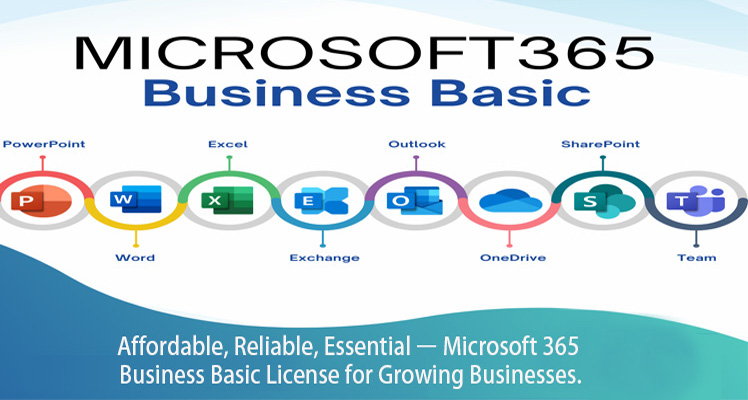
Microsoft 365 Business Basic is a cloud-first productivity solution designed for organizations that primarily operate online and require essential collaboration tools without desktop Office applications.
It includes:
- Microsoft Teams for communication
- Exchange Online for business email
- OneDrive cloud storage
- SharePoint Online for document sharing
- Web and mobile versions of Office apps
Unlike higher-tier plans, Business Basic focuses entirely on cloud-based productivity, making it ideal for distributed teams and modern startups.
Microsoft 365 Business Basic Features (2026 Overview)
- Cloud-Based Office Applications
Business Basic includes web and mobile versions of:
- Word
- Excel
- PowerPoint
- Outlook
These allow users to work from any device without installing software.
- Microsoft Teams Collaboration
Microsoft Teams is a core feature offering:
- Video conferencing
- Chat-based communication
- File sharing
- Virtual meetings
- Team collaboration channels
This makes it essential for hybrid and remote-first organizations.
- Business Email Hosting (Exchange Online)
Business Basic includes professional email services with:
- Custom domain email addresses
- Calendar integration
- Spam filtering
- Secure email communication
- Cloud Storage and File Sharing
OneDrive provides:
- 1TB cloud storage per user
- Secure file access from anywhere
- Real-time collaboration
- Automatic file synchronization
- SharePoint Online
SharePoint enables:
- Internal communication portals
- Document libraries
- Team collaboration sites
- Business workflow management
Microsoft 365 Business Basic Updates in 2026
Microsoft has introduced several important updates to Business Basic as part of its 2026 commercial restructuring.
- Pricing and Packaging Adjustments
Microsoft announced global updates to Microsoft 365 business plans, including Business Basic changes aligned with AI and security enhancements.
These updates reflect:
- Inclusion of AI-driven features
- Improved security baseline
- Enhanced cloud collaboration capabilities
- Copilot Chat Enhancements
Business Basic now includes improved AI assistance such as:
- Copilot Chat in Office apps
- Email drafting assistance
- Document summarization
- Meeting insights
- Security Improvements
New security enhancements include:
- URL time-of-click protection
- Improved phishing detection
- Enhanced email filtering
- Baseline threat protection
- Storage and Email Enhancements
Microsoft has improved mailbox and cloud storage capabilities, enhancing productivity for SMB users.
- Teams Performance Optimization
Microsoft Teams now offers:
- Faster performance
- Better meeting stability
- Improved mobile experience
- Enhanced collaboration features
Microsoft 365 Business Basic Cost Structure (2026 Overview)
Microsoft 365 Business Basic follows a subscription-based per-user pricing model.
Key factors affecting cost structure include:
- Region and currency
- Subscription model (monthly/annual)
- Microsoft partner agreements
- Licensing volume
Important Insight (2026 Update):
Microsoft has officially announced commercial pricing updates effective July 2026, affecting Business Basic as part of broader Microsoft 365 suite restructuring driven by AI and security enhancements.
Microsoft 365 Business Basic Deployment Strategy
Successful deployment of Microsoft 365 Business Basic requires structured planning.
Step 1: Business Assessment
Evaluate:
- Number of users
- Collaboration needs
- Email requirements
- Cloud readiness
- Device usage patterns
Step 2: Domain & Email Setup
- Configure custom domain email
- Set up Exchange Online
- Migrate existing email data
Step 3: User Setup & Licensing
- Assign licenses to users
- Create Microsoft 365 accounts
- Define access roles
Step 4: Cloud Configuration
- Enable OneDrive for storage
- Set up SharePoint sites
- Configure Teams channels
Step 5: Security Configuration
- Enable multi-factor authentication
- Configure access control policies
- Set email security rules
- Enable device management policies
Step 6: Training & Adoption
- Microsoft Teams onboarding
- Cloud usage training
- Security awareness training
- Productivity optimization
Benefits of Microsoft 365 Business Basic
- Low Infrastructure Dependency
No need for heavy on-premise systems.
- Remote Work Enablement
Supports fully remote or hybrid teams.
- Cost-Efficient Scalability
Businesses can easily add or remove users.
- Secure Cloud Collaboration
Built-in security and cloud storage features.
- Easy Deployment
Quick setup compared to enterprise plans.
- Microsoft Ecosystem Integration
Works seamlessly with Microsoft 365 tools and services.
Market Trends for Microsoft 365 Business Basic (2026)
- Rising adoption among startups and SMBs
- Increased hybrid work environments
- Strong demand for cloud-first tools
- Growth in Microsoft Teams usage
- AI integration becoming standard
- Security-first cloud adoption strategies
Microsoft is also shifting toward AI-enhanced productivity tools and bundled service updates across business plans.
Challenges in Microsoft 365 Business Basic Deployment
Businesses may face:
- Limited desktop application access
- Migration complexity from legacy systems
- Security configuration challenges
- User adoption resistance
- AI governance concerns
- Ongoing updates and licensing changes
These challenges often require expert guidance for smooth deployment.
Microsoft 365 Business Basic continues to be one of the most important entry-level cloud productivity solutions for SMBs in 2026. With its focus on cloud collaboration, Teams integration, secure email hosting, and AI-powered enhancements, it provides a strong foundation for digital-first businesses.
With Microsoft continuously updating its licensing structure to include AI capabilities, enhanced security, and improved collaboration tools, Business Basic remains a strategic choice for modern organizations.
For seamless Microsoft 365 Business Basic deployment, licensing support, cloud migration, and digital transformation services, businesses can rely on Radiant Info Solutions. With expertise in Microsoft cloud technologies, enterprise IT solutions, and cybersecurity, Radiant Info Solutions helps organizations build scalable, secure, and future-ready cloud environments.
Frequently Asked Questions
- What is Microsoft 365 Business Basic and who should use it?
Microsoft 365 Business Basic is a cloud-based subscription plan designed for small businesses, startups, freelancers, and teams that need essential communication and collaboration tools. It is ideal for organizations that work primarily online and do not require desktop-installed Microsoft Office applications.
- What are the key features of Microsoft 365 Business Basic?
Microsoft 365 Business Basic includes Microsoft Teams for communication, Exchange Online for business email, OneDrive for cloud storage, SharePoint Online for collaboration, and web/mobile versions of Word, Excel, and PowerPoint. It is built for cloud-first productivity and remote work environments.
- Does Microsoft 365 Business Basic include desktop applications?
No, Microsoft 365 Business Basic does not include desktop Office applications. Instead, it provides web-based and mobile versions of Microsoft apps, allowing users to work from any device with internet access without installing software.
- What is included in Microsoft Teams under Business Basic?
Microsoft Teams in Business Basic includes chat, video conferencing, online meetings, file sharing, collaboration channels, and team communication tools. It is the primary collaboration platform for hybrid and remote teams using Microsoft 365 cloud solutions.
- What is Microsoft 365 Business Basic used for?
Microsoft 365 Business Basic is used for business email hosting, team collaboration, file sharing, cloud storage, online meetings, and basic productivity tasks. It is widely used by startups and SMBs adopting cloud-first operations.
- What are the latest updates in Microsoft 365 Business Basic in 2026?
In 2026, Microsoft 365 Business Basic includes improved Microsoft Teams performance, AI-powered Copilot Chat features, enhanced email security, better phishing protection, updated cloud collaboration tools, and licensing updates aligned with Microsoft’s AI-first ecosystem strategy.
- What is Microsoft 365 Copilot and how does it help Business Basic users?
Microsoft 365 Copilot is an AI-powered assistant integrated into Microsoft apps. In Business Basic, it helps users draft emails, summarize documents, automate tasks, and improve productivity using intelligent AI-driven suggestions.
- How does Microsoft 365 Business Basic support remote work?
Microsoft 365 Business Basic supports remote work through cloud-based email, Microsoft Teams meetings, OneDrive file sharing, and SharePoint collaboration. It enables employees to access business tools from anywhere with an internet connection.
- What is included in Exchange Online for Business Basic?
Exchange Online provides professional business email hosting with custom domains, calendar management, spam filtering, mobile email access, and secure communication features for business users.
- What is the storage capacity in Microsoft 365 Business Basic?
Microsoft 365 Business Basic includes 1TB of OneDrive cloud storage per user, allowing secure file storage, sharing, backup, and collaboration across devices.
- How is Microsoft 365 Business Basic deployed in organizations?
Deployment includes domain setup, email configuration, user account creation, license assignment, OneDrive and SharePoint setup, Microsoft Teams activation, and security configuration including multi-factor authentication and access control policies.
- What security features are included in Business Basic?
Microsoft 365 Business Basic includes basic security features such as email protection, spam filtering, encryption, multi-factor authentication support, and basic identity management tools to protect business data.
- What are the benefits of Microsoft 365 Business Basic for SMBs?
Benefits include low IT infrastructure requirements, easy cloud collaboration, cost-effective subscription model, remote work enablement, secure communication tools, and seamless integration with Microsoft cloud services.
- What are the limitations of Microsoft 365 Business Basic?
Limitations include lack of desktop Office applications, limited advanced security features compared to higher-tier plans, and reliance on internet connectivity for accessing applications and services.
- How does Microsoft 365 Business Basic pricing work?
Microsoft 365 Business Basic follows a per-user subscription model. Pricing depends on region, licensing agreements, and subscription type. Microsoft regularly updates its pricing structure as part of its enterprise licensing strategy.
- What are the latest Microsoft 365 licensing updates affecting Business Basic?
Microsoft’s 2026 licensing updates include AI-driven feature integration, improved security baseline updates, enhanced cloud collaboration tools, and packaging changes across Microsoft 365 business plans to support AI-first productivity environments.
- Can Microsoft 365 Business Basic be upgraded?
Yes, businesses can upgrade to Microsoft 365 Business Standard or Business Premium depending on their need for desktop applications, advanced security, and enterprise-grade IT management features.
- How does Microsoft Teams improve productivity in Business Basic?
Microsoft Teams improves productivity by enabling real-time communication, virtual meetings, file sharing, team collaboration, and workflow management in a centralized cloud-based environment.
- Is Microsoft 365 Business Basic suitable for growing businesses?
Yes, it is highly suitable for growing businesses that need scalable cloud collaboration tools, secure communication systems, and flexible subscription-based licensing for workforce expansion.
- How can Radiant Info Solutions help with Microsoft 365 Business Basic deployment?
Radiant Info Solutions provides end-to-end Microsoft 365 Business Basic deployment services including licensing support, cloud migration, Microsoft Teams setup, security configuration, email setup, and digital transformation consulting for SMBs and enterprises.