
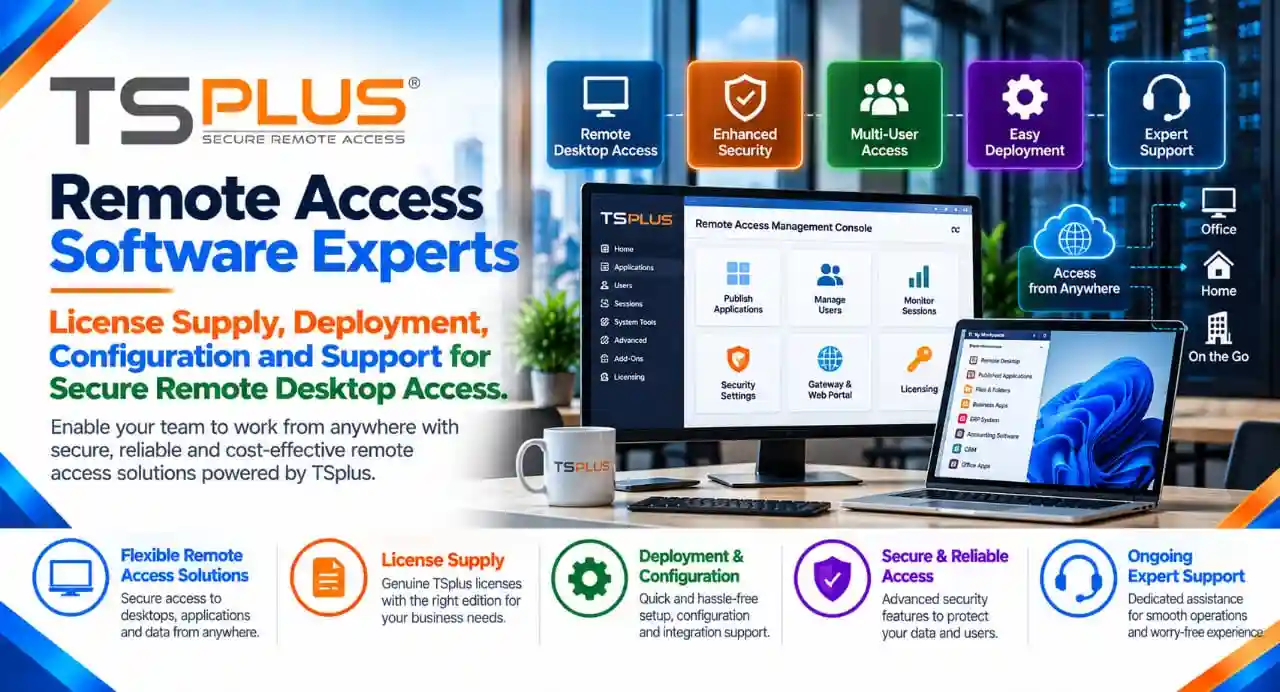
Simplify Remote Desktop Access with TSplus
Businesses increasingly need flexible ways to provide employees, customers, and distributed teams with secure access to business applications and desktop environments. Traditional infrastructure can involve complex deployment requirements, multiple software components, and ongoing administrative overhead.
TSplus provides remote access and application delivery software designed to help organizations make Windows applications and desktops available remotely. Depending on the product edition and configuration, users can access centralized applications through remote desktop clients or web browsers, helping businesses support hybrid work, branch operations, and remote teams.
TSplus also offers complementary products for remote support, security, server monitoring, and multi-factor authentication. These capabilities can help organizations build a remote access environment around their operational and security requirements.
Radiant Info Solutions Pvt. Ltd., as a TSplus partner, assists businesses in evaluating relevant TSplus products, understanding licensing options, obtaining quotations, and coordinating software procurement and deployment requirements.
Whether you are looking for TSplus Remote Access for a small team, web-based access to business applications, enterprise remote desktop delivery, or additional security and monitoring capabilities, selecting the right product and license configuration is essential.
Strategic Technology Alliances












What We Offer
TSplus Remote Access Licensing
- Desktop, Web Mobile, and Enterprise Edition licensing options.
- License selection based on user capacity, application requirements, and deployment needs.
TSplus Desktop Edition
- Remote desktop access and Windows application publishing.
- Centralized application access for office teams and remote employees.
TSplus Web Mobile Edition
- Browser-based access to published desktops and applications.
- Remote accessibility for users across supported devices and web browsers.
TSplus Enterprise Edition
- Enterprise remote access solutions for multi-server environments.
- Evaluation of Gateway, Farm Manager, and scalability requirements.
TSplus Advanced Security
- Security solutions for supported remote access server environments.
- Evaluation of IP protection, geographic restrictions, and other security controls.
TSplus Remote Support
- Remote technical assistance and troubleshooting solutions.
- Support capabilities for IT help desks, administrators, and distributed teams.
TSplus Server Monitoring
- Monitoring solutions for supported servers and websites.
- Server performance visibility, status monitoring, and reporting capabilities.
TSplus Two-Factor Authentication (2FA)
- Additional authentication solutions for supported remote access environments.
- Assistance in evaluating authentication requirements and product compatibility.
TSplus Licensing, Quotation and Deployment Support
- Assistance with license selection, subscription or perpetual licensing options, and commercial quotations.
- Procurement coordination, deployment planning, and installation assistance as per the agreed scope.
We work across categories navigating non linear customer behaviour & requirements
Understanding the TSplus Product Portfolio
TSplus offers multiple software products addressing remote desktop access, application publishing, security, technical support, and server monitoring.
| TSplus Product | Primary Purpose | Key Capabilities | Suitable Applications |
| TSplus Remote Access | Remote desktop and application delivery | Centralized Windows applications, remote desktops, remote printing, and web access features depending on edition | Businesses, distributed teams, and application hosting |
| TSplus Advanced Security | Remote access server protection | Security controls such as IP protection and geographic restrictions, depending on edition | Organizations strengthening remote access security |
| TSplus Remote Support | Remote technical assistance | Remote desktop control and support sessions | IT support teams, help desks, and service providers |
| TSplus Server Monitoring | Server and website monitoring | Performance monitoring, status visibility, and reporting | IT administrators and infrastructure teams |
| TSplus Two-Factor Authentication (2FA) | Additional authentication security | A second authentication factor for supported remote connections | Organizations requiring stronger authentication |
| TSplus Bundles | Combined software offerings | Selected combinations of Remote Access and complementary products | Businesses seeking an integrated software package |
Product features and availability vary by edition, subscription, and configuration. Confirm the current product documentation before purchasing.
TSplus Remote Access: Core Product and Editions
TSplus Remote Access enables organizations to publish Windows applications and desktops for remote use. It can support access through compatible remote desktop clients and browser-based interfaces, depending on the selected edition.
The product is intended to help businesses make existing Windows applications available remotely without necessarily redesigning those applications for browser-based delivery.
TSplus Remote Access edition comparison
| Edition | Key Capabilities | Suitable For | Licensing Considerations |
| Desktop Edition | Remote desktop access, application delivery, remote printing, and core administration features | Small businesses and teams needing essential remote access | Evaluate the required user or connection capacity and supported features |
| Web Mobile Edition | Desktop Edition capabilities plus web portal and HTML5 browser access features | Organizations requiring browser-based access across supported devices | Review browser access, user capacity, and deployment requirements |
| Enterprise Edition | Web Mobile Edition capabilities plus enterprise-oriented features such as Farm Manager and Gateway | Multi-server environments and larger remote access deployments | Assess server count, user requirements, and architecture |
The table summarizes the general edition structure. Confirm the current feature comparison and licensing terms before ordering.
TSplus Desktop Edition
Desktop Edition provides core remote desktop and application delivery capabilities. It can suit businesses that want employees to access applications hosted on a central Windows server.
Potential applications include:
- Remote access to business applications.
- Centralized access to office software.
- Remote printing and supported peripheral redirection.
- Access to assigned applications based on user permissions.
- Remote work for teams using supported Windows environments.
TSplus Web Mobile Edition
Web Mobile Edition adds browser-based access capabilities to the core remote access functionality. This can help users access published applications and desktops through supported web browsers without requiring a conventional installed desktop client on every accessing device.
It can be considered for:
- Distributed teams and hybrid working.
- Browser-based access to centralized applications.
- Access from supported mobile devices.
- Businesses seeking a web portal for remote application delivery.
TSplus Enterprise Edition
Enterprise Edition is designed for organizations requiring the broader Remote Access feature set, including enterprise-oriented management capabilities.
Depending on the deployment, it can support:
- Centralized access across multiple application servers.
- Enterprise portal and gateway capabilities.
- Server farm management and load-balancing features where supported.
- Application access for distributed users and teams.
- More structured administration of a remote access environment.
Organizations evaluating Enterprise Edition should assess the number of servers, expected concurrent sessions, application compatibility, network capacity, and business continuity requirements.
TSplus Remote Access Licensing Options
TSplus Remote Access offers different licensing arrangements, including perpetual licenses and subscription-based options. The appropriate choice depends on the organization’s purchasing preferences, budget planning, required features, and support expectations.
| Licensing Option | General Description | Suitable For | What to Evaluate |
| Perpetual License | A purchased license that does not expire under its perpetual licensing terms | Businesses seeking long-term software ownership | Edition, licensed capacity, updates, and support renewal requirements |
| Subscription License | Access provided for the duration of an active subscription | Businesses preferring recurring expenditure | Subscription term, assigned users, included features, and renewal requirements |
| Edition Upgrade | Moving to a different edition to access additional capabilities | Organizations whose requirements have expanded | Feature differences, licensing eligibility, and upgrade terms |
| User or Capacity Expansion | Increasing the licensed capacity according to available licensing options | Growing teams and expanding deployments | Required user capacity, concurrent sessions, and server resources |
| Updates and Support Renewal | Extending applicable software updates and support coverage | Existing TSplus license holders | Current license eligibility and available renewal options |
The exact terms depend on the product and license purchased. Businesses should confirm whether their selected option includes updates, support, and the required features.
TSplus Two-Factor Authentication (2FA)
Passwords alone may not provide sufficient protection for remote access. Two-factor authentication adds an additional verification step for supported connections, helping organizations strengthen authentication controls.
| Feature Area | Description | Suitable Applications |
| Additional authentication | Requires an additional authentication factor for supported connections | Remote desktop environments |
| User access protection | Helps reduce reliance on passwords alone | Organizations handling sensitive business applications |
| Remote access security | Adds another control to the authentication process | Distributed and hybrid teams |
| License integration | Evaluate compatibility with the selected TSplus product and licensing model | New deployments and existing TSplus environments |
The selected configuration should be reviewed to confirm supported authentication methods, user workflows, and compatibility with the intended Remote Access deployment.
TSplus Bundles: Combined Software Solutions
TSplus may offer bundles combining Remote Access editions with complementary products or add-ons. Bundles can be worth evaluating when an organization requires multiple capabilities rather than purchasing each product separately.
| Bundle Category | Potential Components | Suitable Requirements |
| Remote Access-focused bundle | Selected Remote Access edition and associated capabilities | Businesses deploying remote desktops and applications |
| Web Mobile-focused bundle | Browser-based Remote Access capabilities and selected additional products | Teams requiring browser access and complementary security or support tools |
| Enterprise-focused bundle | Enterprise Remote Access features and selected additional security, support, or monitoring products | Organizations with broader remote access requirements |
Bundle names, included components, and eligibility can change. Confirm the current bundle contents before making a purchase decision.
I am text block. Click edit button to change this text. Lorem ipsum dolor sit amet, consectetur adipiscing elit. Ut elit tellus, luctus nec ullamcorper mattis, pulvinar dapibus leo.
TSplus Remote Support: Remote IT Assistance
TSplus Remote Support is designed for remote technical assistance, allowing support personnel to connect to and troubleshoot remote computers in supported configurations.
| Capability Area | Business Benefit | Potential Users |
| Remote desktop support | Assist users without requiring an on-site visit | IT help desks and internal support teams |
| Troubleshooting | Investigate software and configuration issues remotely | IT administrators and technical support personnel |
| Remote assistance workflows | Support employees across different locations | Distributed businesses |
| Licensing by connection requirements | Select an option based on required concurrent support sessions and available licensing | IT service providers and support teams |
Organizations evaluating TSplus Remote Support should review the required number of simultaneous sessions, support workflows, security requirements, and hosting preferences.
TSplus Server Monitoring: Visibility into IT Infrastructure
TSplus Server Monitoring helps administrators monitor supported servers and websites, review status information, and investigate potential performance or availability issues.
| Monitoring Area | Purpose | Business Application |
| Server health | Track supported server performance and operational status | Infrastructure administration |
| Website monitoring | Monitor supported website availability and health | Website and application operations |
| Reporting | Review monitoring information and identify potential issues | IT reporting and operational planning |
| Multi-server visibility | Monitor infrastructure according to supported configurations | Organizations managing several servers |
Server Monitoring can help IT teams improve operational visibility, but monitoring requirements should be assessed against the size and complexity of the environment.
TSplus Advanced Security: Additional Protection for Remote Access
Remote access infrastructure requires careful security planning. Internet-facing servers and remote desktop environments can be exposed to unauthorized access attempts if they are not appropriately configured and protected.
TSplus Advanced Security provides security features designed to help protect supported Windows servers and remote access environments.
| Edition | General Capabilities | Suitable Applications |
| Essentials | Core protection features, including supported IP protection, geographic protection, working-hours restrictions, and firewall-related controls | Organizations seeking additional controls for remote access servers |
| Ultimate | Broader security capabilities that include Essentials features and additional protections, such as ransomware protection and advanced access controls | Businesses requiring more extensive security capabilities |
Feature availability and implementation details depend on the current edition.
Key areas to evaluate
- Protection against suspicious or malicious connection attempts.
- Geographic access restrictions where appropriate.
- Policies for restricting access to approved working hours.
- Access permissions and device-related controls supported by the edition.
- Additional protection mechanisms for supported server environments.
Advanced Security should complement, not replace, a broader security strategy that includes patch management, least-privilege access, backups, endpoint protection, and network controls.
FREQUENTLY ASKED QUESTIONS
What is TSplus Remote Access?
TSplus Remote Access is software designed to publish Windows applications and desktops for remote use. Depending on the edition, users can access supported resources through remote desktop clients or web browsers.
What is the TSplus price in India?
The quotation depends on the selected product, edition, user capacity, licensing model, and applicable support requirements. Contact Radiant Info Solutions for assistance with a current, requirement-based quotation.
What is the difference between Desktop and Web Mobile Edition?
Desktop Edition focuses on core remote desktop and application delivery features. Web Mobile Edition adds browser-based access capabilities, including a web portal and HTML5 client features, subject to the current edition specifications.
Can TSplus support multi-server environments?
TSplus Enterprise Edition includes enterprise-oriented capabilities such as Farm Manager and Gateway. The appropriate architecture and licensing depend on the deployment requirements.
Can I obtain TSplus deployment assistance?
Deployment planning and installation assistance can be discussed with Radiant Info Solutions according to the agreed scope, product configuration, and technical requirements.
What TSplus Remote Access editions are available?
The main Remote Access editions include Desktop, Web Mobile, and Enterprise. They offer different capabilities, with browser access and enterprise-oriented features available according to the selected edition.
Does TSplus offer perpetual licenses and subscriptions?
Yes. TSplus offers perpetual licensing and subscription options for applicable products. The terms, included updates, support, and features depend on the selected license.
What is TSplus Advanced Security used for?
TSplus Advanced Security provides additional security controls for supported remote access server environments. Features vary by edition and can include IP protection, geographic restrictions, and additional security capabilities.
Can Radiant Info Solutions help with TSplus licensing and quotations?
Radiant Info Solutions can assist with evaluating TSplus product requirements, comparing relevant licensing options, and coordinating a quotation based on the required configuration.