

Extensive Industry Experience

Quick and Accurate Quotes

Strong Industry Partnerships

24*7 Customer Service Support

Recognized VMWare Partners

Commitment of Timely Service

CALL US: +91-11-46515639/40
To receive a quick quotation and response, please submit your requirement here. (24×7 quote by our Vmware Expert)



Our VMware experts are just one step away from connecting with you and delivering
the right solutions for your business.
Choose the perfect Fit for your Business


Experience the Future of Virtualization with VMware GPU Solutions—Where Performance Meets Innovation
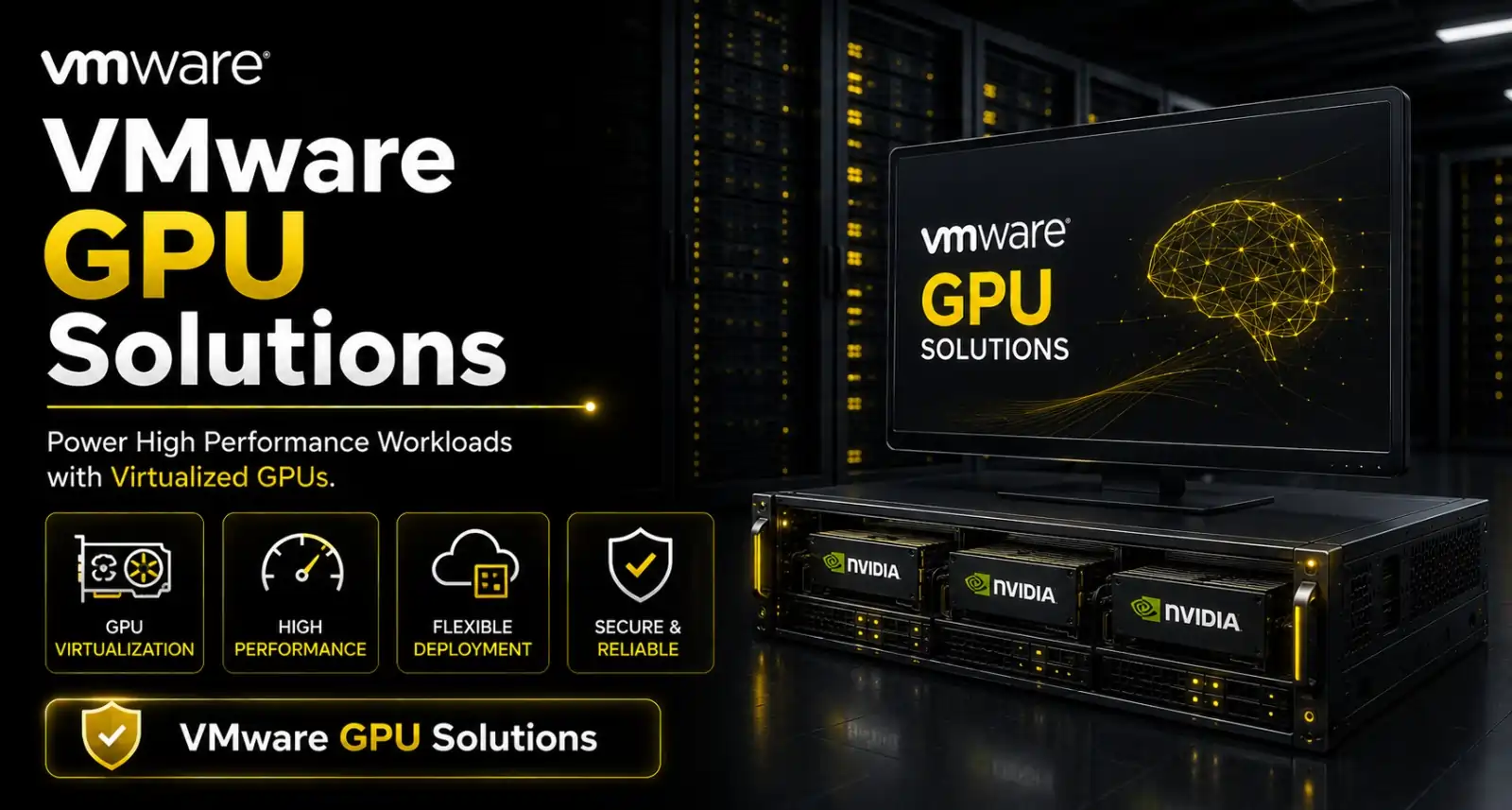
In today’s digital age, businesses are pushing the limits of virtual environments to enhance performance, increase efficiency, and boost productivity. With VMware GPU virtualization, companies can harness the power of graphic-intensive applications, AI processing, and high-performance computing all within their virtual infrastructure. Radiant Info Solutions, a trusted VMware partner, is here to offer top-tier VMware GPU solutions to help organizations optimize their virtual environments. With comprehensive expertise in VMware GPU passthrough, VMware vSphere GPU support, and more, Radiant ensures that your business benefits from advanced GPU technologies without sacrificing performance or security. VMware GPU Virtualization Solutions enable high-performance graphics and computing power in virtual environments for seamless, scalable workloads.
what we offer
Complete GPU Virtualization Licensing Portfolio
- Licensing available for AI/ML, high-end graphics, HPC, and VDI workloads.
- Supports NVIDIA vGPU, AMD MxGPU, and Intel GPU virtualization under VMware vSphere.
VMware Platform License Requirements (Core Components)
- vSphere ESXi & vCenter: Required for all GPU-enabled virtual workloads.
- Horizon: Required for GPU-accelerated VDI deployments (Power Users / Designers).
- VMware Cloud Foundation (VCF): Optional integrated SDDC layer for large-scale GPU clusters.
NVIDIA vGPU Software License Packages
- vPC (Virtual PC): GPU acceleration for standard VDI users.
- vApps: Application-level graphics acceleration for multi-user workloads.
- vWS (Virtual Workstation): High-end 3D, CAD/CAM, rendering workloads.
- AI Enterprise: AI/ML, data science, and distributed training workloads.
Subscription, Term & Entitlement Options
- Available in 1-year, 3-year, and 5-year subscription terms.
- Entitlements include updates, driver access, feature enhancements & security patches.
- Multi-year terms provide cost savings and budget predictability.
GPU Passthrough & MIG Licensing Considerations
- Passthrough: No special licensing, but requires vSphere Enterprise Plus for advanced features.
- MIG (NVIDIA A100/H100): Requires AI Enterprise licensing for optimized partitioning.
- Suitable for high-performance, latency-sensitive AI and HPC workloads.
Horizon GPU Licensing Packages
- Horizon Standard, Advanced, and Enterprise editions support GPU-backed VDI.
- Add-on vGPU licensing required for graphics-heavy user groups.
- Integration with Blast Extreme for GPU-optimized remote display performance.
Cost Structure & Pricing Factors
- Pricing depends on GPU model, vGPU profile, user density, and workload type.
- Cost influenced by VMware edition (Standard / Enterprise Plus / VCF).
- Volume licensing and multi-year contracts reduce overall TCO.
Support & Subscription (SnS) Packages
- Basic Support (12×5): Standard business-hour incident handling.
- Production Support (24×7): Priority SLAs, advanced troubleshooting, and rapid response.
- Includes continuous updates for vGPU drivers, hypervisor compatibility, and firmware.
Renewal, Upgrade & Scaling Advisory
- Renewal management for VMware platform licenses + NVIDIA vGPU subscriptions.
- Guidance on upgrading to higher vGPU tiers or scaling GPU clusters.
- Advisory on performance tuning, driver lifecycle, and future GPU expansion planning
Connect Now, Get Quick Responses!
How it Works

Contact Us
Reach out to our team via phone, email, or our website contact form. Provide some basic information about your business and plans you’re interested in.

Our Team Review the Requirement
Our experts will review your current need and explore the best options to optimize your requirements, ensuring you get the most cost-effective and efficient solution for your business.

Receive Your Customized Quotation
After the review, we will provide you with a detailed, personalized quotation, including pricing and recommendations tailored to your business needs.
Get started today by contacting us, and let’s find the best solution for your business!
Our GPU Virtualization Deployment, Licensing & Renewal Workflow

1. Requirement Mapping & Use-Case Analysis
- Identify GPU-dependent workloads (AI/ML, VDI, 3D rendering, data science).
- Assess compute, memory, and concurrent user-session requirements.
- Define desired GPU passthrough or vGPU profile configurations.

2. Hardware & Compatibility Validation
- Validate NVIDIA GPUs (A-series, L-series, T-series) or AMD equivalents.
- Check compatibility with VMware ESXi hosts and vSphere Foundation versions.
- Assess storage & network readiness for high-performance workloads.

3. Selection of vGPU Licensing Packages
- Evaluate NVIDIA vGPU editions (vApps, vPC, vWS) based on workload type.
- Choose subscription term: 1/3/5 years with support and updates.
- Map GPU profile sizes to user roles (basic CAD, advanced 3D, AI compute).

4. VMware Platform Configuration
- Install ESXi, vCenter, and necessary GPU drivers/vGPU Manager.
- Configure GPU passthrough or vGPU partitions on target hosts.
- Create VM templates optimized for GPU workloads.
5. Deployment of GPU-Enabled Virtual Machines
- Assign vGPU profiles to VMs based on performance tiers.
- Enable direct acceleration for AI, Deep Learning, or visualization tasks.
- Apply load balancing and resource scheduling policies.
6. Performance Optimization & Monitoring
- Monitor GPU utilization through VMware vSphere dashboards.
- Optimize vGPU allocation for peak performance efficiency.
- Conduct periodic tuning for evolving workload demands.
7. Subscription, Support & Renewal Management
- Track expiry of NVIDIA vGPU & VMware GPU-related add-on licenses.
- Validate entitlement for driver updates and security fixes.
- Align renewal cycles with business-critical workloads.
8. Cost Optimization & Scaling Strategy
- Review GPU license consumption and scale profiles accordingly.
- Evaluate ROI across user segments (VDI, AI/ML, visualization).
- Plan expansion to multi-GPU hosts or hybrid cloud GPU environments.
Why Partner with Us?
1. Authorized VMware Partner
- Radiant Info Solutions is a certified VMware partner, offering genuine virtualization and cloud infrastructure solutions with full OEM support and licensing.
2. Comprehensive VMware Solutions
- We provide a wide range of VMware products including vSphere, NSX, vSAN, and Horizon, enabling businesses to build scalable, secure, and efficient virtual environments.
3. Expert Consultation & Deployment
- Our VMware-certified engineers design and implement tailored virtualization solutions to optimize your IT infrastructure and reduce costs.
4. Reliable Support & Maintenance
- Radiant offers ongoing technical support, software updates, and AMC services to ensure your VMware environment runs smoothly and securely.
5. Pan-India Reach with Fast Service
- With a strong nationwide network, we ensure prompt delivery, installation assistance, and local support to meet your VMware deployment needs anywhere in India.


15+ Years
Virtualization Expertise

5+
Certified VMware Professionals

24*7
License Consultation and assistance

360°
End-to-End Deployment & Integration
VMware GPU Virtualization: Unlocking the Power of Graphics in Virtual Environments
VMware GPU virtualization allows you to bring high-performance graphic processing into your virtual machines (VMs). As the demand for complex, graphic-intensive applications increases, it is crucial to have a solution that enables seamless virtualization of powerful GPUs. With VMware’s advanced GPU virtualization technologies, businesses can accelerate workloads, enable superior graphics rendering, and gain access to cutting-edge computational power—all in a virtualized environment.
At Radiant, we specialize in VMware GPU virtualization solutions, offering comprehensive services including VMware GPU passthrough, VMware vSphere GPU configuration, VMware GPU resource allocation, and more.
VMware GPU Passthrough: Achieving Maximum Performance
VMware GPU passthrough is a key feature of VMware virtualization, allowing a physical GPU to be assigned directly to a virtual machine. This feature is ideal for workloads that require direct access to GPU resources, such as gaming, CAD, or deep learning. By enabling VMware GPU passthrough, businesses can unlock the full potential of their hardware, ensuring high-end applications run smoothly with the speed and power of a dedicated GPU.
Radiant Info Solutions helps businesses implement VMware GPU passthrough with precision, ensuring compatibility with both hardware and software for optimized performance.
VMware vSphere GPU Support: Seamless Integration and Efficiency
VMware vSphere with GPU support is a powerful feature that allows virtualized environments to take advantage of physical GPUs. vSphere is a leading virtualization platform, and with GPU support, it opens new possibilities for graphic-intensive applications, from 3D rendering to AI processing. At Radiant, we provide end-to-end VMware vSphere GPU support to ensure seamless integration and smooth operation of virtual environments with GPU capabilities.
Our expertise ensures that VMware vSphere with GPU is deployed efficiently, allowing businesses to experience improved performance and resource optimization in their virtual infrastructures. As part of our VMware GPU Virtualization Solutions, we ensure that your GPU resources are fully optimized for demanding workloads.
VMware vSphere GPU Configuration: Tailored to Your Needs
To maximize the performance of VMware vSphere with GPU, it is essential to configure the system correctly. VMware vSphere GPU configuration involves the fine-tuning of resources, ensuring that the right amount of GPU power is allocated to each VM according to its needs. Proper configuration helps in enhancing performance, reducing latency, and ensuring that applications run efficiently.
Radiant’s experts specialize in VMware vSphere GPU configuration. We analyze your business’s specific needs and deploy customized GPU configurations that deliver optimal results, enabling faster processing times and increased productivity.With VMware GPU Virtualization Solutions, we ensure that every configuration is aligned with your infrastructure goals, enabling faster processing times and increased productivity.
VMware Virtual GPU: Sharing GPU Resources Across Virtual Machines
VMware virtual GPU (vGPU) is a revolutionary solution that allows multiple virtual machines to share the same physical GPU. This enables businesses to reduce hardware costs while still providing top-tier graphic performance across all VMs. VMware vGPU is especially beneficial for organizations running virtual desktops and remote applications, where many users need access to powerful graphics in a shared environment.
Radiant Info Solutions offers advanced VMware GPU Virtualization Solutions to help businesses implement GPU sharing effectively. Our solutions ensure that all virtual machines can access GPU resources without sacrificing performance, creating a balanced, high-performance virtualized environment.
VMware GPU Configuration Settings: Ensuring Optimal Performance
One of the key aspects of VMware GPU virtualization is proper configuration. VMware GPU configuration settings determine how GPU resources are allocated to virtual machines, ensuring that workloads are executed with maximum efficiency. Radiant Info Solutions provides expert guidance in configuring GPU settings that optimize your virtual environment, ensuring businesses can access the full potential of their GPU resources.
Our team fine-tunes these settings as part of our VMware GPU Virtualization Solutions, delivering enhanced visual experiences, faster computing, and better resource utilization across all virtual machines.
VMware GPU for Virtual Machines: Empowering Your Infrastructure
The integration of VMware GPUs into virtual machines enables businesses to run resource-heavy applications and tasks without the need for additional hardware. Whether you need powerful graphics for design software, AI training models, or video rendering, VMware GPU for virtual machines ensures that these tasks are performed seamlessly in a virtualized environment.
VMware ESXi GPU Setup: A Step-by-Step Approach
VMware ESXi is a popular hypervisor for virtual machine hosting, and adding GPU capabilities can greatly enhance its performance. VMware ESXi GPU setup involves the installation of the GPU drivers, configuration of the system, and optimization of GPU resources. Radiant Info Solutions specializes in VMware ESXi GPU setup, ensuring smooth installation and configuration for businesses looking to take advantage of GPU acceleration.
We help businesses implement ESXi GPU setups that are both efficient and scalable, empowering forming a key part of our VMware GPU Virtualization Solutions portfolio.
VMware GPU Deployment: Scalable and Reliable Solutions
VMware GPU deployment is critical for businesses looking to integrate GPU resources into their virtual environment. Radiant Info Solutions provides a comprehensive approach to VMware GPU deployment, ensuring that your business’s infrastructure is not only scalable but also capable of handling the increased demands of high-performance workloads.
Our experts guide you through every step of the deployment process, ensuring seamless integration with existing systems and optimizing resource allocation for improved performance as part of our VMware GPU Virtualization Solutions.
VMware GPU for Cloud Environments: Empowering the Cloud
With the rise of cloud computing, businesses are increasingly looking for ways to incorporate GPU resources into their cloud-based workloads. VMware GPU for cloud environments provides the flexibility needed to run graphic-intensive applications, AI models, and high-performance computing in the cloud.
Radiant Info Solutions helps businesses deploy VMware GPU Virtualization Solutions for cloud environments, ensuring that you can scale and manage GPU resources seamlessly across multiple cloud platforms.
VMware GPU Sharing: Cost-Efficient Resource Allocation
VMware GPU sharing allows businesses to make the most of their GPU resources by enabling multiple VMs to share a single GPU. This reduces hardware costs and optimizes GPU usage, providing cost-efficient solutions for running GPU-accelerated applications.
Our team at Radiant Info Solutions is skilled in setting up GPU sharing as part of VMware GPU Virtualization Solutions, ensuring that multiple virtual machines can access GPU resources without compromising performance.
VMware GPU Resource Allocation: Optimizing Performance
Proper GPU resource allocation is crucial for ensuring that virtual machines receive the right amount of GPU power for their workloads. With VMware GPU resource allocation, businesses can fine-tune the GPU resources dedicated to each VM, ensuring that each application performs optimally.
Radiant Info Solutions assists in GPU resource allocation, ensuring that your business’s GPU resources are efficiently managed and optimized for performance through our advanced VMware GPU Virtualization Solutions.
At Radiant Info Solutions, we understand the critical role that VMware GPU virtualization plays in modern IT environments. As a trusted VMware partner, we provide end-to-end VMware GPU solutions, fromVMware GPU Virtualization Solutions passthrough to VMware GPU resource allocation. Our expertise ensures that businesses can harness the full power of GPU technologies in their virtualized environments, enhancing performance, scalability, and cost-efficiency. VMware GPU Virtualization Solutions enable high-performance graphics and computing power in virtual environments for seamless, scalable workloads.
With Radiant, you can optimize your VMware infrastructure and unlock the potential of GPU virtualization—empowering your business to thrive in the digital age.
Why Choose Radiant as Your preferred VMware GPU virtualization partner?
Radiant ensures seamless integration of VMware vSphere with NVIDIA GPU technology to deliver exceptional speed, scalability, and efficiency for demanding workloads. Partnering with Radiant means gaining a trusted ally committed to optimizing your virtualization infrastructure for superior performance and productivity.
Message for Quick Quotation
For a quick quotation, share your requirements here:

Looking for Advice ?
Connect with our VMWare Consultant
📞 +91-11-46515639/40
📧 leads@radiant.in
FREQUENTLY ASKED QUESTIONS
What are VMware GPU Solutions, and how can Radiant help?
VMware GPU Solutions enable virtual machines to leverage GPU acceleration for high-performance tasks. Radiant provides consultation, deployment, and support for businesses adopting these technologies.
Which industries benefit most from GPU-accelerated virtualization?
Sectors like design, engineering, AI/ML, education, media, and healthcare benefit significantly. Radiant customizes deployments based on specific industry workloads and compliance needs.
Does Radiant help in selecting compatible GPU hardware?
Yes, Radiant evaluates your workload and recommends compatible NVIDIA or AMD GPUs along with optimized server configurations for seamless VMware integration.
Can Radiant deploy NVIDIA vGPU with VMware vSphere?
Absolutely. Radiant is experienced in deploying NVIDIA vGPU with VMware vSphere and Horizon environments, enabling efficient GPU sharing across multiple VMs.
Do Radiant’s services include setup of virtual desktops for graphics-intensive users?
Yes, Radiant can deploy VMware Horizon with GPU acceleration for professionals using CAD, 3D modeling, and video editing tools.
How does Radiant ensure optimal GPU resource allocation and performance?
Our engineers configure vGPU profiles, manage workload balancing, and fine-tune environments for consistent performance across users and applications.
Can Radiant assist with both on-premise and hybrid cloud GPU deployments?
Yes, Radiant designs and implements both on-premise and hybrid GPU-accelerated solutions, leveraging VMware Cloud Foundation when required.
Is training available for in-house IT teams?
Yes, Radiant offers training to ensure your IT team understands GPU allocation, monitoring, and maintenance within VMware environments.
Does Radiant provide post-deployment monitoring and support?
Yes, we offer comprehensive post-deployment services, including performance monitoring, updates, and troubleshooting to keep your GPU-virtualized environment running smoothly.
Why choose Radiant Info Solutions for VMware GPU Solutions?
Radiant combines certified VMware expertise, hardware knowledge, and local support to deliver high-performance, cost-effective GPU virtualization tailored to your needs.
To find out more speak to one of our VMWare Sales specialists !
Call: +91-11-46515639/40 or email: leads@radiant.in
