
Microsoft Teams License Cost, Pricing & Subscription Plans: A Complete Business Guide
Introduction
Microsoft Teams has become a core collaboration platform for modern businesses, enabling seamless communication, virtual meetings, and integrated workflows. As organizations continue to adopt hybrid and remote work models, understanding the Microsoft Teams license cost and selecting the right plan is essential for maximizing value and efficiency.
However, with multiple Microsoft Teams license plans, varying subscription models, and bundled offerings, businesses often face challenges in identifying the most cost-effective solution. This guide provides a clear overview of Microsoft Teams pricing, subscription options, and how organizations can optimize their investment with the right partner like Radiant.
Overview of Microsoft Teams Pricing
Microsoft Teams pricing is typically structured as part of Microsoft 365 subscriptions, where Teams is bundled with productivity applications such as Word, Excel, Outlook, and OneDrive. This bundled approach provides greater value compared to standalone tools, but it also requires careful evaluation to avoid unnecessary costs.
The Microsoft Teams license cost depends on several key factors:
- Subscription plan (Business or Enterprise)
- Features and capabilities included
- Number of users
- Billing cycle (monthly or annual)
Understanding these variables is crucial for selecting the most appropriate solution for your organization.
Microsoft Teams License Plans
Microsoft offers a range of Microsoft Teams license plans designed to meet the needs of businesses of different sizes and complexities.
- Business Plans
These plans are ideal for small to mid-sized organizations and include:
- Chat, calling, and video conferencing
- File sharing and collaboration
- Integration with Microsoft 365 applications
- Standard security features
- Enterprise Plans
Enterprise-level plans are designed for large organizations requiring advanced capabilities:
- Enhanced security and compliance
- Advanced analytics and reporting
- Scalable meeting and webinar solutions
- Centralized administration and control
Selecting between business and enterprise plans depends on your organization’s operational scale, security requirements, and IT infrastructure.
Microsoft Teams Cost Per User
One of the most important considerations for businesses is the Microsoft Teams cost per user. Licensing is typically priced on a per-user, per-month basis, making it essential to align costs with actual usage and business requirements.
While lower-tier plans may appear cost-effective initially, they may lack critical features required for business operations. Conversely, higher-tier plans offer advanced functionality but may lead to overspending if not fully utilized.
A well-balanced approach ensures that organizations achieve optimal productivity without unnecessary expenditure.
Microsoft Teams Subscription Models
Choosing the right Microsoft Teams subscription model is equally important in managing overall costs.
Monthly Subscription
- Greater flexibility
- Suitable for dynamic or growing teams
- Slightly higher cost over time
Annual Subscription
- More cost-effective
- Predictable budgeting
- Recommended for stable organizations
Organizations should evaluate their workforce stability and financial planning strategy before selecting a subscription model.
Key Factors Affecting Microsoft Teams License Cost
Several factors influence the overall Microsoft Teams license cost:
User Volume
Larger organizations may benefit from volume-based pricing advantages.
Feature Requirements
Advanced features such as compliance, security, and analytics impact pricing.
Integration Needs
Organizations leveraging the full Microsoft ecosystem may gain better value from bundled plans.
IT Infrastructure
Existing systems and deployment complexity can influence total cost of ownership.
Importance of Choosing the Right Licensing Partner
Selecting the right licensing partner is critical to ensuring cost efficiency and compliance. A trusted partner not only provides access to genuine licenses but also offers strategic guidance in selecting the most suitable plan.
An experienced partner can help organizations:
- Evaluate business requirements accurately
- Optimize Microsoft Teams pricing
- Ensure compliance with Microsoft licensing policies
- Support deployment and integration
Radiant: Your Trusted Microsoft Partner
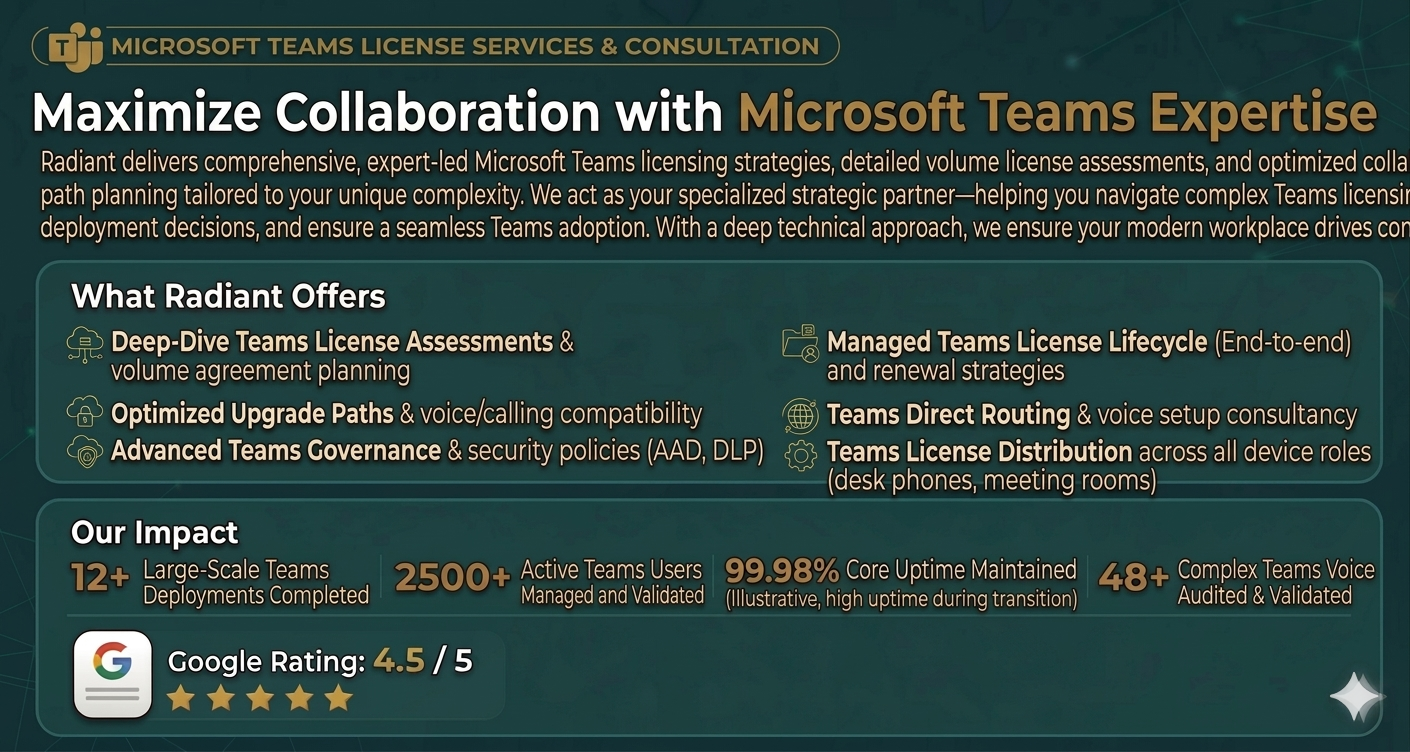
Radiant is a recognized Microsoft partner, offering end-to-end solutions for Microsoft Teams licensing, subscription management, and implementation.
With deep expertise in Microsoft technologies, Radiant helps organizations:
- Select the most suitable Microsoft Teams license plans
- Optimize Microsoft Teams cost per user
- Procure genuine and compliant subscriptions
- Ensure seamless deployment and configuration
By aligning technology solutions with business objectives, Radiant enables organizations to maximize the value of their Microsoft investments.
Best Practices for Optimizing Microsoft Teams Costs
To achieve maximum value from your Microsoft Teams subscription, organizations should consider the following best practices:
- Conduct regular license audits to eliminate unused subscriptions
- Align licensing plans with actual business needs
- Leverage annual subscriptions for cost savings
- Work with a certified partner for expert guidance
- Continuously evaluate usage and scalability requirements
Conclusion
Understanding Microsoft Teams license cost, pricing structures, and subscription models is essential for making informed business decisions. With a wide range of Microsoft Teams license plans available, organizations must carefully evaluate their requirements to select the most cost-effective solution.
Partnering with an experienced Microsoft partner like Radiant ensures not only access to genuine licenses but also strategic guidance, seamless implementation, and long-term value optimization.
Call to Action
Looking to optimize your Microsoft Teams subscription and reduce costs?
Connect with Radiant today to explore the best licensing options tailored to your business needs and ensure a seamless Microsoft Teams experience.