
Strategic Technology Alliances

















What We Offer
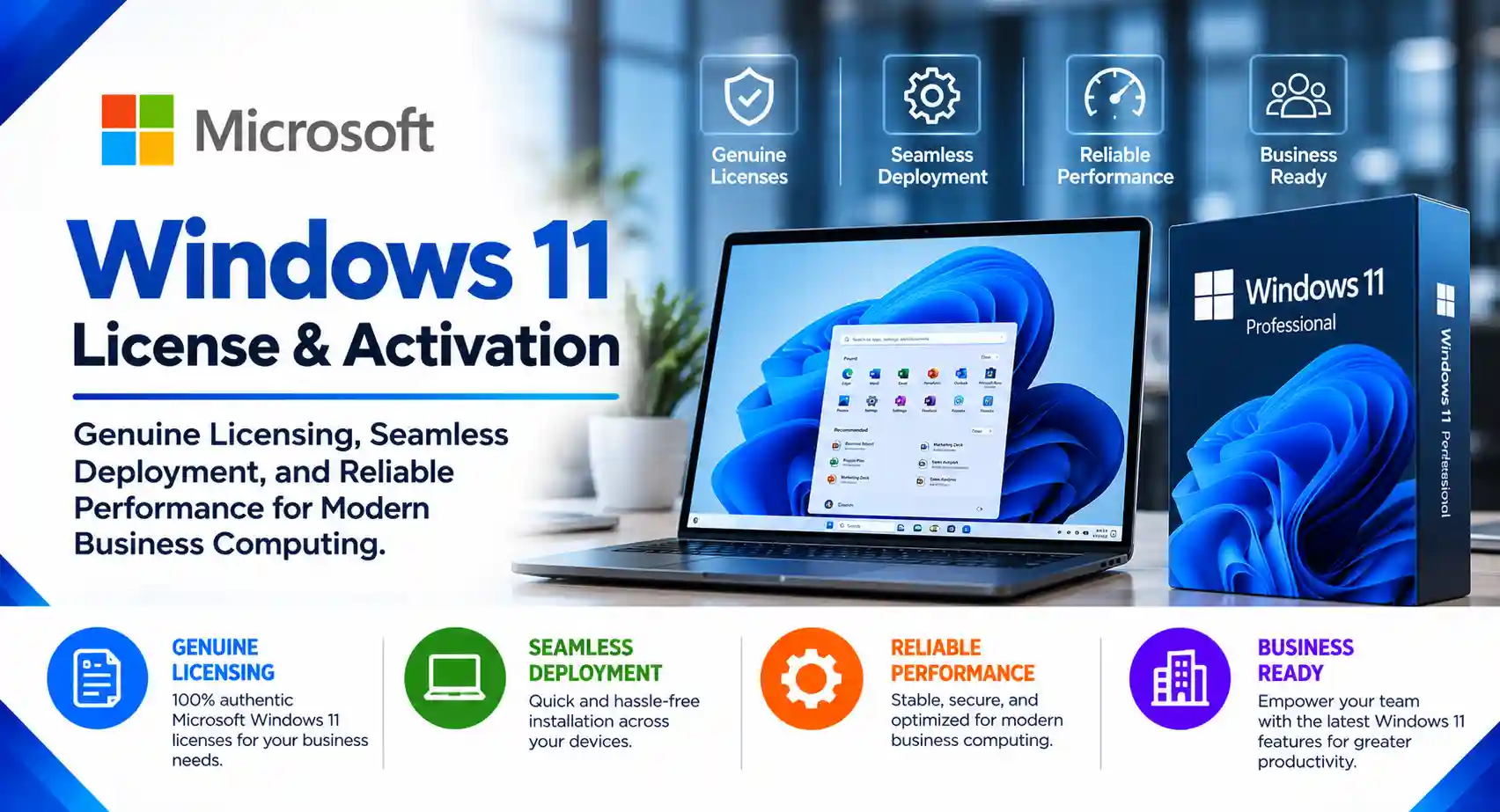
Genuine Windows 11 License Solutions
- Assistance with selecting suitable Windows 11 licensing options for business and enterprise requirements.
- Guidance on license eligibility, editions, and activation requirements.
Windows 11 Pro License for Business
- Licensing support for Windows 11 Pro for business desktops, laptops, and professional workstations.
- Guidance on business features, device management, and security capabilities.
Windows 11 Enterprise Licensing
- Assistance with Windows 11 Enterprise licensing options for eligible organizations.
- Support for evaluating advanced security, centralized management, and enterprise deployment requirements.
Windows 11 License Procurement & Quotation
- Assistance with Windows 11 license procurement through appropriate sales channels.
- Customized quotations based on device quantities, edition requirements, and licensing eligibility.
Windows 11 Activation & License Verification
- Support for Windows activation and troubleshooting eligible activation issues.
- Guidance on verifying license status and resolving common licensing-related problems.
Windows 11 Deployment & Installation
- Assistance with Windows 11 installation, device provisioning, and deployment planning.
- Support for assessing hardware compatibility and preparing devices for deployment.
Windows 10 to Windows 11 Upgrade Support
- Assessment of device compatibility and upgrade readiness.
- Assistance with upgrade planning, migration coordination, and deployment for eligible devices.
Windows 11 Security & Device Management
- Guidance on security configuration, update management, and device administration.
- Support for aligning Windows 11 deployment with existing IT management policies and infrastructure.
Windows 11 Enterprise Rollout & Technical Support
- Deployment planning for multiple desktops and laptops across business locations.
- Technical assistance with installation, activation, configuration, and post-deployment troubleshooting.
We work across categories navigating non linear customer behaviour & requirements
Why Choosing the Right Microsoft Windows 11 License Partner Matters for Your Business
If you’ve been planning to upgrade your systems lately, chances are you’ve already come across the growing need for a Microsoft Windows 11 license. With enhanced security, a modern interface, and better productivity features, Windows 11 is quickly becoming the standard for businesses.
But here’s the real question most organizations struggle with:
Where should you buy Windows 11 license from—and who can you trust?
Because let’s be honest—buying a license is easy. Buying the right license from a reliable partner? That’s where things get complicated.
The Hidden Risks Behind “Cheap” Windows Licenses
It’s tempting to go for the lowest price when searching for a Windows 11 license supplier. A quick online search will show countless options offering unbelievably cheap keys.
But what many businesses don’t realize is that these shortcuts often lead to long-term problems.
Imagine this: your systems suddenly stop receiving updates, or worse, your license gets flagged as invalid during an audit. That’s not just inconvenient—it can disrupt your entire business.
Using a genuine Microsoft Windows 11 license ensures:
- Your systems stay secure with regular updates
- You remain compliant with licensing regulations
- Your team gets uninterrupted performance
That’s why choosing a genuine Windows 11 license provider isn’t just a technical decision—it’s a business decision.
Not All Windows 11 Licenses Are the Same
Another common challenge businesses face is understanding which license they actually need.
For many growing companies, a Windows 11 Pro license key is more than enough. It offers essential business features like device encryption, remote desktop, and better control over updates.
On the other hand, larger organizations often require Windows 11 Enterprise licensing, which comes with advanced security, virtualization, and centralized IT management capabilities.
Choosing the wrong version can either limit your operations—or make you overpay for features you don’t need. This is where expert guidance becomes invaluable.
Why a Windows 11 License Supplier Should Be More Than Just a Seller
A good Windows 11 license supplier doesn’t just hand you a product key and walk away.
They act as a partner—someone who understands your business, evaluates your needs, and recommends the right solution.
Think about it:
Would you rather guess your way through licensing options, or have an expert guide you through the process?
The right supplier helps you:
- Choose the correct license type
- Avoid compliance issues
- Save costs with the right licensing model
- Plan for future scalability
The Role of an Implementation Expert (And Why It Matters)
Buying a license is just step one. The real challenge begins when it’s time to deploy it across your organization.
Without proper planning, even a simple upgrade can lead to downtime, compatibility issues, or data loss.
That’s why working with a Windows 11 implementation expert is so important.
From assessing your current systems to ensuring a smooth rollout, experts make the transition seamless. They handle the technical complexity so your team can stay focused on what they do best.
Why Businesses Trust Radiant as Their Microsoft Partner
This is exactly where Radiant comes in.
As a trusted Microsoft partner, Radiant goes beyond just being a Windows 11 license supplier—it becomes your technology ally.
Businesses choose Radiant because it offers a complete approach:
- Helping you buy Windows 11 license that fits your needs
- Providing genuine and compliant licensing solutions
- Offering expert consultation on Pro vs Enterprise options
- Ensuring smooth implementation with minimal disruption
What truly sets Radiant apart is its ability to combine licensing expertise with real-world implementation experience.
So instead of juggling multiple vendors, you get everything—from purchase to deployment—under one roof.
Making the Shift to Windows 11 the Right Way
Upgrading to Windows 11 isn’t just about staying current—it’s about preparing your business for the future.
With cyber threats becoming more sophisticated and work environments becoming more hybrid, having a secure and modern operating system is no longer optional.
By choosing the right Microsoft Windows 11 license, and working with a trusted partner, you’re not just upgrading software—you’re strengthening your entire IT foundation.
Final Thoughts
At the end of the day, the decision isn’t just about finding a license—it’s about finding the right partner.
A reliable Windows 11 license supplier, combined with expert implementation support, can save you time, money, and unnecessary headaches.
With its proven expertise and recognition as a Microsoft partner, Radiant stands out as a dependable choice for businesses looking to make a smooth and secure transition.
Ready to Upgrade?
If you’re planning to buy Windows 11 license or explore Windows 11 Enterprise licensing, now is the perfect time to take the next step.
Connect with Radiant today and get started with a solution that’s tailored, compliant, and built for your business growth.
Frequently Asked Questions.
Where can I buy a genuine Microsoft Windows 11 license in India?
You can purchase a genuine Microsoft Windows 11 license through appropriate Microsoft sales channels and authorized resellers. Before purchasing, verify the required edition, device compatibility, license type, and applicable activation rights.
What is the price of a Microsoft Windows 11 license in India?
The price of a Windows 11 license depends on the edition, license type, procurement channel, and eligibility requirements. Businesses can request a customized quotation based on the number of devices and their Windows 11 licensing requirements.
What is the difference between Windows 11 Home, Pro, and Enterprise?
Windows 11 Home is designed primarily for personal computing, while Windows 11 Pro includes additional business-oriented capabilities such as domain or Microsoft Entra ID join support, BitLocker Drive Encryption, and Group Policy. Windows 11 Enterprise offers additional enterprise management and security capabilities under eligible licensing arrangements.
Which Windows 11 license is suitable for business use?
Windows 11 Pro is commonly suitable for small and medium-sized businesses that require professional device management and security features. Larger organizations may consider Windows 11 Enterprise depending on their security, administration, and licensing requirements.
Can I purchase Windows 11 Pro licenses for multiple computers?
Yes. Businesses can procure suitable Windows 11 Pro licenses for multiple eligible devices, subject to the applicable licensing terms. For bulk procurement, organizations should confirm device eligibility, license type, activation method, and documentation requirements before ordering.
Can I upgrade from Windows 10 to Windows 11 without buying a new license?
Eligible, properly licensed Windows 10 devices can generally upgrade to a compatible edition of Windows 11 without purchasing another Windows license, subject to Microsoft’s upgrade eligibility and licensing terms. The device must also meet the applicable Windows 11 hardware requirements.
What are the minimum hardware requirements for Windows 11?
Windows 11 has specific hardware requirements, including a compatible 64-bit processor, at least 4 GB of RAM, 64 GB of storage, UEFI firmware with Secure Boot capability, TPM 2.0, and a compatible graphics solution. Additional requirements may apply to particular features and business deployments.
Can I get Windows 11 installation and deployment services?
Yes. Windows 11 deployment services may include hardware compatibility assessments, installation planning, operating system deployment, configuration, activation assistance, and post-deployment troubleshooting. The scope depends on the number of devices and the organization’s IT environment.
Does Windows 11 Pro support domain joining and business device management?
Yes. Windows 11 Pro supports traditional Active Directory domain joining and Microsoft Entra ID joining, subject to the applicable configuration. It also provides business-oriented management capabilities that can help organizations administer devices within their IT infrastructure.
What is a Windows 11 Enterprise license?
Windows 11 Enterprise is an edition designed for organizations requiring additional enterprise-level security, deployment, and management capabilities. Licensing is generally obtained through eligible Microsoft commercial licensing arrangements, and requirements vary depending on the organization’s existing licenses and subscription entitlements.
Can I upgrade from Windows 11 Home to Windows 11 Pro?
Yes. Eligible devices can upgrade from Windows 11 Home to Windows 11 Pro by obtaining an appropriate upgrade license. The upgrade process depends on the device’s existing activation status and the license purchased.
Can Windows 11 licenses be used on multiple computers?
A Windows license’s permitted use depends on the license type and applicable terms. A license supplied with a device is generally tied to that device, while certain separately purchased licenses may have different transfer rights. Organizations should verify the terms before reassigning or transferring a license.
Does Windows 11 support BitLocker and advanced security features?
Windows 11 Pro and eligible higher editions support BitLocker Drive Encryption and additional business security capabilities. Feature availability depends on the Windows edition, device hardware, configuration, and applicable licensing entitlements.
Can I get Windows 11 license renewal and upgrade assistance?
Windows 11 licenses do not all follow the same renewal model. Assistance may include reviewing existing licenses, evaluating edition upgrades, checking subscription entitlements, and planning deployment changes. The appropriate approach depends on the organization’s current Microsoft licensing arrangement.
Is Windows 11 suitable for enterprise IT deployment?
Yes. Windows 11 supports enterprise deployment scenarios, including device provisioning, centralized administration, security configuration, and update management. Organizations should assess hardware compatibility, application readiness, user requirements, and licensing before a large-scale rollout.
How can I request a quotation for Microsoft Windows 11 licenses?
To request a Windows 11 license quotation, share the required edition, number of devices, current operating system, device procurement status, and any installation or deployment requirements. This information helps determine suitable licensing options and implementation scope.