
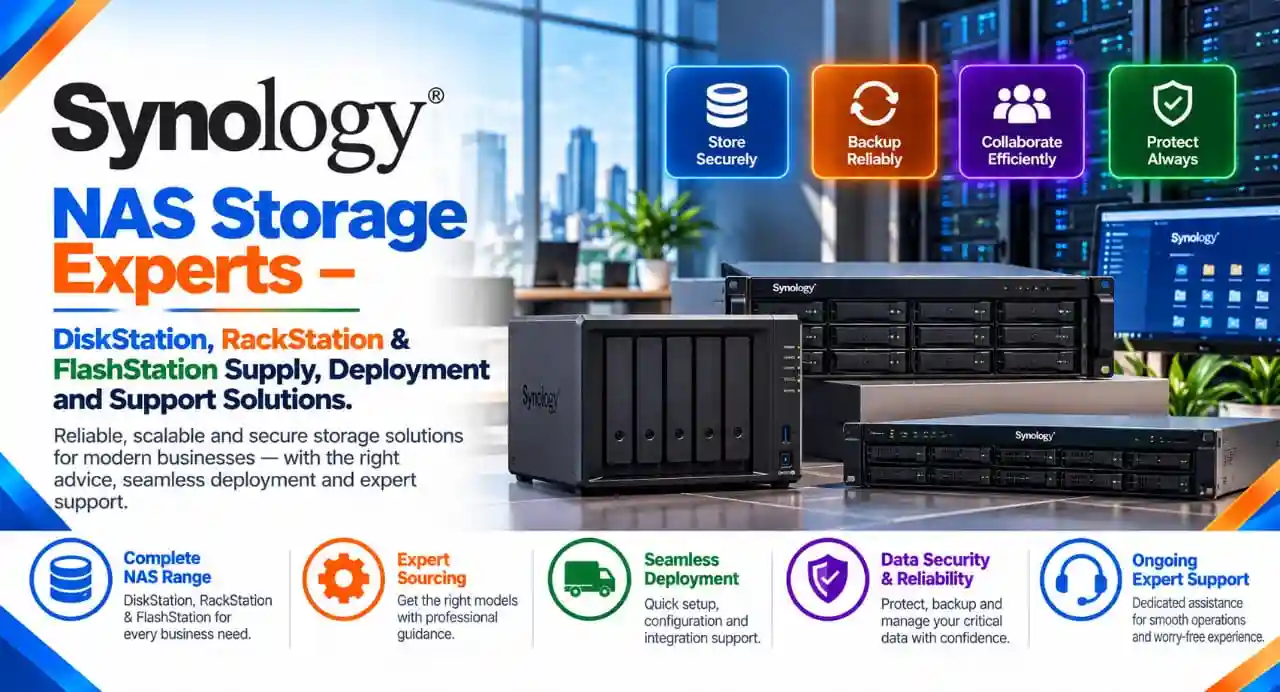
Discover Synology Storage Solutions for Modern Businesses
As organizations generate increasing volumes of business data, choosing the right storage infrastructure is essential for operational continuity, data accessibility, collaboration, and long-term scalability. Businesses need reliable systems that can centralize files, protect critical information, support backup operations, and simplify data management across teams and locations.
Synology offers a comprehensive portfolio of network-attached storage (NAS), enterprise storage, backup appliances, and surveillance solutions designed for different workloads and organizational requirements. Its product portfolio ranges from compact desktop NAS systems for small offices to rack-mounted storage platforms and high-performance enterprise solutions.
As a Synology partner, Radiant Info Solutions Pvt. Ltd. helps businesses explore suitable Synology products based on their storage capacity, performance, data protection, networking, and infrastructure requirements.
Whether you are looking for a Synology NAS for office file sharing, centralized business storage, server backup, virtualized environments, or surveillance recording, understanding the product series can help you make a more informed decision.
Strategic Technology Alliances













What We Offer
Synology DiskStation NAS Solutions
- Desktop NAS systems for small offices, businesses, and professional teams.
- Centralized file storage, sharing, backup, and private cloud capabilities.
Synology RackStation NAS Solutions
- Rack-mounted NAS systems for server rooms and enterprise IT infrastructure.
- Centralized storage, business backup, and scalable data management.
Synology Enterprise Storage Solutions
- SA and HD Series solutions for high-capacity enterprise storage requirements.
- Storage platforms for data consolidation, large-scale repositories, and business workloads.
Synology FlashStation All-Flash Storage
- High-performance storage solutions for latency-sensitive applications.
- Suitable for supported virtualization, database, and demanding business workloads.
Synology UC and PAS Enterprise Platforms
- Enterprise storage options for supported SAN/NAS workloads and high-availability requirements.
- Product evaluation based on application compatibility, performance, and business continuity needs.
Synology Data Backup and Protection
- Backup solutions for business endpoints, servers, virtual machines, and supported applications.
- Assistance with backup planning, retention policies, recovery, and data protection requirements.
Synology Surveillance Storage Solutions
- Compatible storage systems for video surveillance and supported camera environments.
- Assistance in evaluating recording capacity, retention needs, and surveillance workloads.
Synology Storage Expansion and Capacity Planning
- Evaluation of compatible expansion units, drive bays, and storage scalability.
- Capacity planning aligned with data growth, performance, and future infrastructure requirements.
Synology Product Sourcing, Quotation and Deployment Support
- Product selection, procurement coordination, and quotation assistance through Radiant Info Solutions Pvt. Ltd.
- Deployment planning, installation coordination, and post-deployment support as per the agreed scope.
We work across categories navigating non linear customer behaviour & requirements
Understanding the Synology Product Portfolio
Synology organizes its product portfolio into different series based on performance, scalability, form factor, and intended workload. The appropriate product depends on the number of users, storage requirements, application environment, backup strategy, and future expansion plans.
The following table provides an overview of key Synology storage product series.
| Synology Series | Product Category | Key Capabilities | Suitable Applications |
| DiskStation (DS) – J Series | Entry-level desktop NAS | Centralized file storage, sharing, and backup | Home offices, startups, and small offices |
| DiskStation (DS) – Value Series | Desktop NAS | Shared storage, private cloud, and data backup | Small businesses and departmental teams |
| DiskStation (DS) – Plus Series | Performance-oriented desktop NAS | Advanced data management, backup, collaboration, and surveillance | Growing businesses and professional teams |
| DiskStation (DS) – XS+/XS Series | High-performance desktop NAS | Higher-performance storage and demanding business workloads | Enterprises and resource-intensive environments |
| RackStation (RS) – Value Series | Rack-mounted NAS | Centralized storage in a rack-based infrastructure | Server rooms and branch offices |
| RackStation (RS) – Plus Series | Business rack-mounted NAS | Scalable storage, business backup, and network integration | Growing enterprises and multi-user environments |
| RackStation (RS) – XS+/XS Series | High-performance rack-mounted NAS | Advanced performance, expansion, and enterprise storage management | Data centers and enterprise IT infrastructure |
| SA Series | High-scalability storage | Capacity expansion and storage consolidation | Large enterprises and data-intensive workloads |
| HD Series | High-density storage | High drive density and large-scale storage expansion | Large data repositories and enterprise backup environments |
| FlashStation (FS) Series | All-flash storage | High-performance, low-latency storage | Virtualization, databases, and performance-sensitive workloads |
| UC Series | Unified storage | Enterprise SAN/NAS capabilities, depending on model | Business-critical storage and application infrastructure |
| PAS Series | Active-active enterprise storage | High availability and enterprise-scale performance | Mission-critical workloads requiring resilient storage |
Note: Series availability, model specifications, expansion options, and supported features vary by product. Confirm the current model configuration before purchasing.
Synology DiskStation Series: Flexible Storage for Offices and Businesses
The Synology DiskStation series includes desktop NAS systems designed for centralized storage, file sharing, backup, and data management. Depending on the model, DiskStation can support applications such as Synology Drive, backup packages, collaboration tools, and Surveillance Station.
DiskStation product line comparison
| Product Line | Overview | Recommended Use Cases | Example Models |
| J Series | Straightforward storage for everyday file management | Personal storage, small offices, and basic file-sharing needs | DS223j |
| Value Series | Practical centralized storage and private-cloud capabilities | Small businesses, office backups, and shared documents | DS124, DS223, DS423 |
| Plus Series | Enhanced capabilities for business applications and data protection | Growing offices, team collaboration, backup, and surveillance | DS225+, DS425+, DS725+ |
| XS+/XS Series | Higher-performance desktop NAS for demanding environments | Enterprise departments, larger workloads, and advanced storage requirements | DS1823xs+, DS3622xs+ |
Why consider Synology DiskStation?
- Centralize documents, project files, and shared business data.
- Facilitate file access and collaboration across authorized users.
- Support backup and recovery strategies for business endpoints and applications.
- Explore surveillance storage where supported by the selected model.
- Select storage configurations aligned with present needs and planned growth.
Businesses evaluating a Synology DiskStation for office use should consider the number of drive bays, usable capacity, network connectivity, supported applications, data redundancy requirements, and backup destination.
Synology RackStation Series: Rack-Mounted Storage for Business IT
The Synology RackStation series is designed for rack-based IT environments where centralized storage, structured infrastructure, and scalable deployment are important. RackStation models can support different business workloads depending on their hardware and software capabilities.
RackStation product line comparison
| Product Line | Key Characteristics | Suitable Applications | Example Models |
| RS Value Series | Rack-mounted storage for practical business requirements | Branch offices, server rooms, and shared business data | Model selection based on current availability |
| RS Plus Series | Business-focused rack NAS with expansion and connectivity options varying by model | Centralized backup, file services, and departmental storage | RS1221+, RS1221RP+ |
| RS XS+/XS Series | Higher-performance rack-mounted storage for demanding workloads | Enterprise storage, data consolidation, and virtualization support | RS3621xs+, RS3621RPxs |
| Expansion Units | Additional drive capacity for compatible Synology NAS systems | Storage growth without replacing the existing primary system | Compatible RX-series units |
Example models are illustrative, not a complete list. Confirm model availability and compatibility with the intended deployment.
Where can Synology RackStation be used?
RackStation systems can be considered for:
- Enterprise file storage and shared folders.
- Centralized backup repositories.
- Server and workstation backup infrastructure.
- Virtualization storage and application workloads supported by the selected model.
- Multi-site business environments that need centrally managed storage.
- Rack-based IT infrastructure requiring a defined storage footprint.
When selecting a RackStation, evaluate rack space, drive compatibility, network throughput, expansion capacity, redundancy requirements, and the intended workload. Certain models offer redundant power supplies, higher-speed networking, or additional expansion capabilities, but these features should not be assumed across the entire series.
Synology Enterprise Storage: SA, HD, FS, UC and PAS Series
For larger organizations, Synology offers additional storage platforms designed for more demanding capacity, performance, and availability requirements.
| Series | Storage Approach | Key Considerations | Potential Business Applications |
| SA Series | High-scalability enterprise storage | Large storage pools, expansion options, and workload requirements | Enterprise storage consolidation and large-scale data management |
| HD Series | High-density storage | Drive density, capacity planning, and expansion architecture | Large backup repositories and data-intensive environments |
| FlashStation (FS) Series | All-flash storage | Latency, IOPS, workload performance, and SSD configuration | Databases, virtualization, and performance-sensitive applications |
| UC Series | Unified storage with supported SAN/NAS capabilities | Application compatibility, availability, and storage protocols | Enterprise applications and business-critical infrastructure |
| PAS Series | Active-active enterprise storage | High availability, performance, and resilient architecture | Mission-critical enterprise workloads |
SA Series: Scalable Enterprise Storage
The SA Series is designed for organizations that need significant storage capacity and the flexibility to expand as data requirements increase. It may be suitable for centralized storage, enterprise backup, and other data-intensive workloads.
HD Series: High-Density Storage
The HD Series targets environments where consolidating large amounts of data into a high-density storage platform is a priority. It can be considered for large-scale data retention and backup repositories.
FlashStation Series: High-Performance All-Flash Storage
FlashStation systems use flash-based storage configurations for workloads where storage responsiveness and low latency are important. Organizations evaluating FlashStation should consider application performance requirements, SSD endurance, capacity, and network connectivity.
UC Series: Unified Storage for Enterprise Workloads
The UC Series is intended for enterprise storage environments that require supported unified storage capabilities. The appropriate configuration depends on the applications, protocols, availability requirements, and deployment architecture.
PAS Series: Active-Active Enterprise Storage
The PAS Series is designed for enterprise environments where high availability and performance are key considerations. It may be appropriate for mission-critical workloads requiring a resilient storage architecture, subject to the specific platform configuration.
Synology Product Lines Beyond Storage
Synology’s wider ecosystem also includes backup appliances, surveillance solutions, and personal storage products. These address different use cases and should be evaluated separately from conventional NAS hardware.
| Product Line | Primary Purpose | Suitable Applications |
| ActiveProtect (DP Series) | Dedicated data protection and backup appliances | Centralized backup management and recovery workflows |
| DVA Series | Deep-learning network video recorders | Video surveillance and supported AI-based analytics |
| BeeStation Series | Simplified personal cloud storage | Personal files, photos, and straightforward storage management |
| RX Expansion Units | Additional storage for compatible Synology systems | Capacity expansion for supported DiskStation and RackStation models |
These products serve different requirements. For example, a dedicated backup appliance is not the same as a general-purpose NAS, while a surveillance-focused system should be assessed against camera counts, analytics requirements, retention periods, and supported software.
How to Choose the Right Synology NAS for Your Business
Selecting a Synology storage solution involves more than choosing a model with a particular number of drive bays. The right configuration should reflect how the organization stores, accesses, protects, and retains its data.
| Selection Factor | What to Evaluate | Why It Matters |
| Storage capacity | Current data volume and expected growth | Helps determine drive bays and expansion requirements |
| Number of users | Concurrent users and access patterns | Influences performance and resource requirements |
| Workload | File sharing, backup, virtualization, databases, or surveillance | Determines the appropriate product series |
| Network connectivity | Existing network speed and required throughput | Helps prevent network bottlenecks |
| Data protection | RAID, snapshots, replication, and independent backups | Supports availability and recovery planning |
| Scalability | Future drive expansion and storage growth | Helps accommodate changing requirements |
| Deployment environment | Desktop, server room, or rack-based installation | Determines form factor and infrastructure compatibility |
| Business continuity | Recovery objectives and redundancy needs | Helps establish a suitable protection strategy |
Important: RAID is not a substitute for a backup. Organizations should define independent backup copies, retention policies, recovery procedures, and off-site or otherwise isolated protection where appropriate.
Synology NAS Procurement and Deployment Support from Radiant Info Solutions
Radiant Info Solutions Pvt. Ltd. supports organizations looking for Synology products and storage infrastructure aligned with their business requirements. As a Synology partner, Radiant can assist customers in evaluating product options and coordinating the procurement process.
Why Choose Radiant Info Solutions for Synology Solutions?
Choosing the right storage platform requires a clear understanding of the organization’s current infrastructure and future requirements. Radiant Info Solutions helps businesses evaluate available Synology options through a requirement-driven approach.
- Partner-Based Product Sourcing: Assistance with identifying relevant Synology products for your business.
- Multiple Product Series: Options spanning desktop NAS, rack-mounted NAS, enterprise storage, backup, and surveillance applications.
- Business-Focused Consultation: Recommendations based on workloads, capacity, performance, and growth plans.
- IT Infrastructure Experience: A practical approach to storage selection within broader business IT environments.
- Requirement-Led Engagement: Product and deployment discussions aligned with the customer’s stated needs and agreed scope.
Request a Synology NAS Quotation in India
Looking to procure a Synology NAS for your office, enterprise, server room, or data center? Radiant Info Solutions can help you evaluate suitable Synology product series and coordinate a quotation based on your requirements.
Whether you need a DiskStation for centralized office storage, a RackStation for enterprise backup, a FlashStation for performance-sensitive workloads, or an enterprise storage platform for large-scale requirements, begin with a clear assessment of your workload and capacity needs.
Share your requirements with Radiant Info Solutions Pvt. Ltd. Include your intended application, required usable storage capacity, number of users, preferred form factor, and any backup or expansion requirements. Our team can help you identify relevant product options and discuss the next steps for procurement and deployment.
Connect with Radiant Info Solutions for Synology product consultation, quotations, and storage solution assistance.
FREQUENTLY ASKED QUESTIONS
What is the difference between Synology DiskStation and RackStation?
DiskStation generally refers to desktop NAS systems, while RackStation refers to rack-mounted NAS systems. The choice depends on the installation environment, capacity, workload, and infrastructure requirements.
Does Radiant Info Solutions provide Synology product quotations?
Radiant Info Solutions can assist with Synology product evaluation and quotation coordination based on the customer’s requirements, selected configuration, and product availability.
Which Synology NAS is suitable for a small office?
Entry-level J Series and Value Series models may suit basic file storage and sharing. Plus Series models may be appropriate when additional performance or business application capabilities are required. Model selection should be based on the actual workload.
Can Synology NAS be used for business backup?
Yes. Compatible Synology systems support various backup and data protection applications. The appropriate solution depends on the devices and workloads being protected, retention requirements, and recovery objectives.
Which Synology storage series is suitable for enterprise environments?
Depending on the requirement, businesses can evaluate XS+/XS, SA, HD, FS, UC, and PAS series. Each addresses different combinations of performance, capacity, scalability, or availability.
How can I contact Radiant Info Solutions for Synology solutions?
Share your storage requirements, intended application, preferred configuration, and deployment location with Radiant Info Solutions Pvt. Ltd. to discuss suitable Synology products and the next steps for procurement.
What Synology NAS series are available for businesses?
Synology offers DiskStation and RackStation series across several product lines, including J, Value, Plus, and XS+/XS. Its wider portfolio also includes SA, HD, FS, UC, and PAS enterprise storage platforms. The best option depends on the workload, performance requirements, and scalability needs.
How can I select the right Synology NAS model?
Consider the usable capacity, number of users, workload, network connectivity, expansion needs, backup strategy, and deployment environment. For business-critical applications, also evaluate redundancy and recovery requirements.