
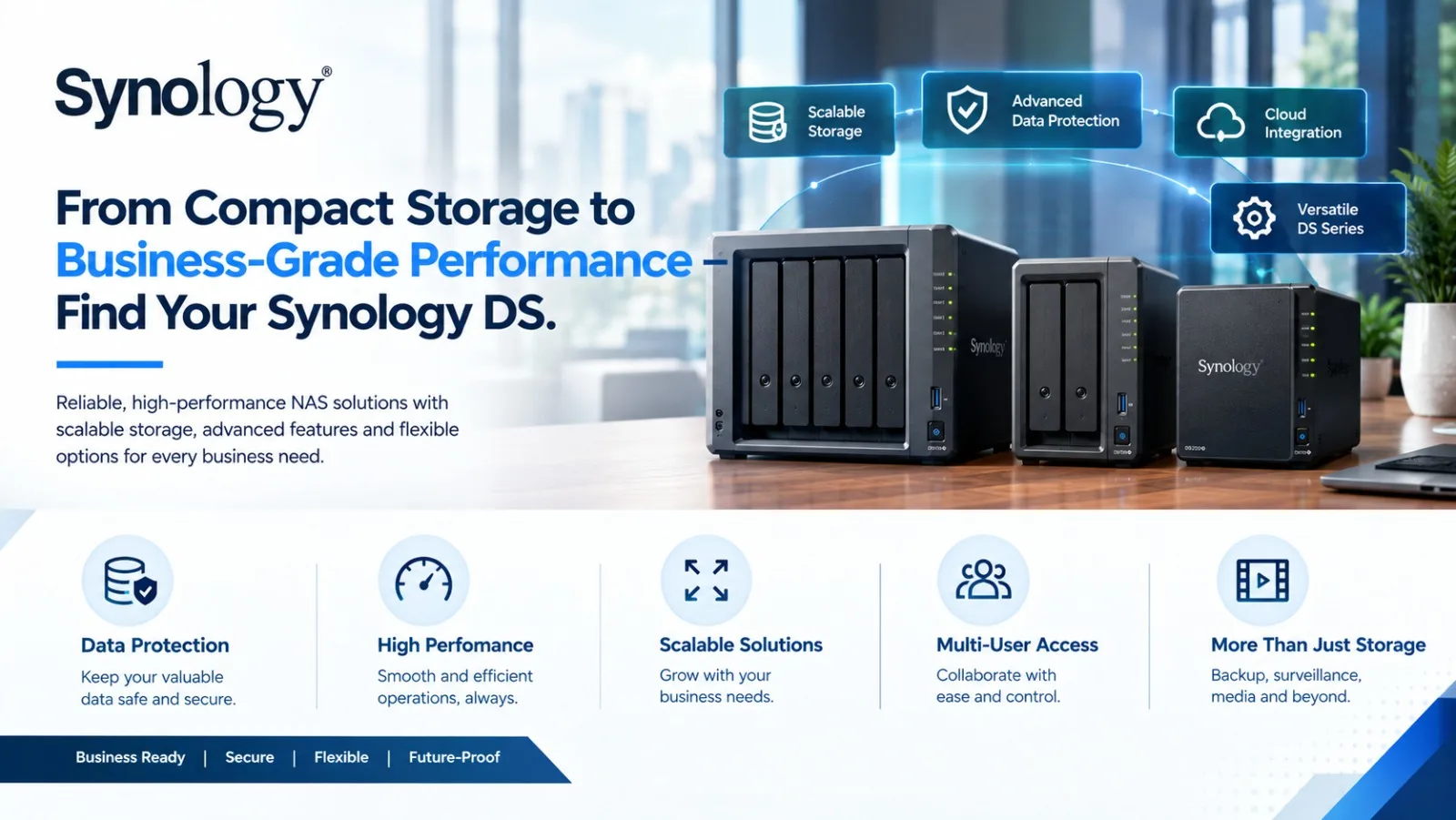
Synology DS Series NAS: Models, Specifications, Buying Guide & Expert Support in India
Businesses, professionals, and home users increasingly need reliable storage that can do more than simply hold files. From centralized document management and automated backups to surveillance recording, media management, virtualization and private cloud applications, a Network Attached Storage (NAS) system can become an important part of an organization’s IT infrastructure.
The Synology DS Series, also known as the DiskStation series, offers a broad range of NAS systems designed for different storage capacities, workloads and user requirements. From compact 2-bay systems for home and small-office environments to high-capacity multi-bay platforms for growing businesses, the DS family provides multiple configuration options.
For organizations looking to buy Synology NAS in India, selecting the right model requires more than comparing the number of drive bays. Processor capability, memory, networking, expansion options, supported applications, backup requirements and expected workload should all be considered.
what we offer
Storage Requirement Consultation
-
- Business workload, application, and data growth assessment
- Capacity, performance, and availability requirements
- Backup, archiving, and disaster recovery objectives
Synology Product Portfolio Offering
-
- Synology NAS, SAN, and unified storage platforms
- DiskStation, RackStation, and enterprise-grade solutions
- Certified storage for virtualization and file services
Solution Design & Storage Architecture
-
- Centralized, hybrid, or edge storage design
- RAID, redundancy, and scalability planning
- Performance optimization for file, block, and object workloads
Platform Integration & Compatibility
-
- Integration with VMware, Hyper-V, and virtualization platforms
- Compatibility with Windows, Linux, and macOS environments
- Secure network and access control design
Product Recommendation & BoM Finalization
-
- Right-sizing of Synology systems and drive configurations
- Licensing, expansion units, and accessories selection
- Cost-optimized Bill of Materials (BoM) preparation
Supply, Installation & Configuration
-
- Hardware procurement and logistics coordination
- NAS installation, RAID configuration, and network setup
- Initial system hardening and firmware updates
Data Protection & Performance Testing
-
- Backup, snapshot, and replication configuration
- Performance benchmarking and failover testing
- Validation of data integrity and availability
User Training & Knowledge Transfer
-
- End-user and IT administrator training sessions
- Best practices for storage management and monitoring
- Documentation and operational handover
Support, AMC & Lifecycle Management
-
- SLA-based remote and on-site technical support
- Firmware upgrades, health checks, and capacity planning
- Expansion, renewals, and lifecycle optimization
What Is the Synology DS Series?
The Synology DS Series is Synology’s DiskStation NAS portfolio for desktop and small-to-medium business environments. DS models are available in different configurations, including 2-bay, 4-bay, 5-bay, 6-bay and 8-bay NAS systems, depending on the product family.
The DS range includes different performance tiers such as:
- DS J Series – designed for basic NAS and personal storage requirements.
- DS Value Series – suitable for users looking for practical network storage and backup capabilities.
- DS Plus Series – designed for more demanding home, professional and business workloads.
- Higher-performance DS models – intended for organizations requiring greater storage capacity, connectivity and application performance.
The appropriate model depends on how the NAS will be used, how much storage is required today and how much growth is expected in the future.
Why Choose a Synology DS NAS?
A NAS can centralize organizational data instead of leaving important files distributed across individual computers, external drives and cloud accounts.
A Synology DS NAS can be considered for applications such as:
- Centralized File Storage
Employees can access shared files from a centralized storage platform rather than maintaining multiple copies across different systems.
- Business Backup
A DS NAS can form part of a structured backup strategy for computers, servers and other IT systems, depending on the applications and configuration being used.
- Private Cloud Storage
Organizations can create controlled file-access environments that provide users with access to business data without relying exclusively on third-party cloud storage.
- Surveillance Storage
Compatible Synology NAS systems can be used for surveillance recording and camera-management applications, subject to the model, software and licensing requirements.
- Media and Content Management
The DS range can also be used for photographs, videos, documents and other digital content where centralized access and organization are required.
- Remote Access
Authorized users can access files and applications remotely, subject to the network, security and configuration implemented by the organization.
Synology DS Series by Drive-Bay Capacity
One of the easiest ways to narrow down a Synology NAS is by considering the number of drive bays.
Synology 2-Bay NAS
A 2-bay Synology DS NAS can be appropriate for home users, professionals and small offices requiring centralized storage without a large physical footprint.
Users searching for a Synology 2-bay NAS price should also consider RAID configuration, usable capacity and future expansion requirements rather than looking only at the hardware specification.
Synology 4-Bay NAS
A 4-bay DiskStation provides greater flexibility for businesses that require more storage capacity, redundancy and room for future expansion.
It can be suitable for:
- Small and medium businesses
- Office file sharing
- Business backup
- Surveillance storage
- Media and creative workloads
- Centralized document management
Synology 5-Bay NAS
Five-bay DS models provide additional storage flexibility for users who need greater capacity while retaining a desktop NAS form factor.
They can be considered for growing businesses and professional environments where storage requirements are increasing.
Synology 6-Bay and 8-Bay NAS
Higher-bay DS systems are designed for users with larger storage requirements and more demanding workloads. They can provide greater flexibility for RAID configurations, storage expansion and multiple applications.
When comparing a Synology 6-bay NAS price or Synology 8-bay NAS price, organizations should evaluate the complete storage architecture, including drive capacity, RAID requirements, network connectivity and expected workload.
Popular Synology DS Models
The DS portfolio includes several models across different generations and performance categories.
Depending on availability and application requirements, users may encounter models such as:
- Synology DS225+
- Synology DS425+
- Synology DS725+
- Synology DS925+
- Synology DS1525+
- Synology DS1825+
- Synology DS923+
- Synology DS1522+
- Synology DS223
- Synology DS223j
- Synology DS224+
Model availability can change over time, so businesses should confirm the current model, specifications and support status before placing an order.
Synology DS Plus Series for Business
The Synology DS Plus Series is commonly considered when an organization requires more than basic file storage.
A Plus-series NAS can be evaluated for workloads involving:
- Business file sharing
- Centralized backup
- Collaboration
- Virtualization-related workloads
- Surveillance
- Database-related applications
- Media management
- Multi-user environments
For businesses searching for the best Synology DS+ series for business, the decision should be based on workload rather than simply selecting the highest-capacity model.
Synology DS Value and J Series
For lighter workloads, the DS Value Series and DS J Series can provide a more straightforward approach to centralized storage and backup.
These models may be relevant for:
- Personal storage
- Home users
- Basic office file sharing
- Backup requirements
- Small teams
- Entry-level NAS deployments
Users searching for a Synology DS Value Series price or Synology DS223j price should compare the model’s processor, memory, drive-bay configuration, networking and application requirements before making a purchase.
Synology DS NAS with Hard Drives
An important point when purchasing Synology NAS hardware is understanding whether the system is being supplied with hard drives.
A Synology NAS enclosure and its storage drives are separate components in many configurations. Therefore, buyers should confirm whether they are purchasing:
- NAS enclosure only
- NAS with compatible HDDs
- NAS + HDD bundle
- NAS with additional memory
- Complete configured NAS solution
Searching for Synology DS NAS + HDD bundle or Synology DS923+ with hard drive can indicate purchase-ready intent, but drive selection should be based on compatibility, workload, capacity and the intended RAID configuration.
How to Select the Right Synology DS Model
Choosing the right DiskStation model involves several technical considerations.
Storage Capacity
Estimate the amount of usable storage required rather than simply calculating raw HDD capacity.
Number of Users
A NAS supporting a few users has different requirements from one supporting multiple departments and simultaneous workloads.
RAID Requirement
Determine whether the deployment requires redundancy and how much usable capacity can be allocated after RAID protection.
Network Connectivity
For data-intensive applications, networking can become an important performance factor. Consider the available Ethernet connectivity and the organization’s existing network infrastructure.
Application Requirements
Identify whether the NAS will primarily be used for file storage, backup, surveillance, virtualization-related workloads, media management or multiple applications.
Future Expansion
A NAS should ideally be evaluated against expected storage growth rather than only today’s requirement.
Synology DS923+ vs DS925+ and Other Models
Model-to-model comparisons are useful when narrowing down a purchase decision.
For example, users may search:
- Synology DS923+ vs DS925+
- Synology DS224+ vs DS225+
- Synology DS423+ vs DS425+
- Synology DS1522+ vs DS1525+
- Synology DS1821+ vs DS1825+
The newer model is not automatically the right choice for every environment. Buyers should compare processor generation, memory, networking, drive compatibility, expansion capability, software support and workload requirements.
Synology DS Series vs QNAP
Another common comparison is Synology DS Series vs QNAP TS Series.
Both manufacturers offer NAS platforms across multiple performance categories. However, the right selection depends on the organization’s preferred ecosystem, applications, management requirements, hardware configuration, storage architecture and existing IT environment.
Rather than selecting a NAS solely based on specifications, businesses should map the product against their actual use case.
Buying Synology DS Series NAS in India
Organizations looking to buy Synology DS Series NAS in India should consider working with an experienced IT partner who can assist with product selection and configuration.
A professional procurement process can help evaluate:
- Required storage capacity
- Suitable DS model
- Compatible hard drives
- RAID configuration
- Memory requirements
- Networking requirements
- Backup architecture
- Surveillance requirements
- Warranty and support
- Deployment and installation requirements
This approach can help prevent situations where a NAS is purchased based only on capacity without considering the broader IT environment.
Synology NAS Partner and Supplier Support from Radiant
Radiant Info Solutions Pvt. Ltd. supports organizations looking for Synology NAS products and related IT infrastructure requirements in India.
As a Synology partner, Radiant can assist customers in identifying an appropriate DS Series configuration based on their storage, backup, networking and application requirements.
Support can include:
- Synology DS Series product consultation
- Model selection
- Storage and capacity planning
- Compatible HDD selection
- Business NAS recommendations
- Backup solution planning
- NAS deployment assistance
- Installation and configuration guidance
- Enterprise and SMB IT infrastructure coordination
- Pan-India service support
Customers can share their requirements with Radiant to discuss the appropriate Synology DS configuration before procurement.
Final Thoughts
The Synology DS Series provides multiple options for users looking for centralized storage, backup, file sharing, surveillance and private-cloud capabilities. From compact 2-bay NAS systems to higher-capacity multi-bay DiskStation platforms, the portfolio can support a wide range of personal, professional and business requirements.
The right Synology NAS should be selected based on capacity, users, applications, RAID requirements, networking, expansion needs and future growth rather than price or bay count alone.
Whether you are searching for a Synology DS NAS price in India, Synology DS923+, DS925+, DS1525+, DS1825+, a 2-bay or 4-bay DiskStation, or a business-grade Synology NAS solution, Radiant Info Solutions Pvt. Ltd. can help you evaluate the available options and identify a configuration aligned with your requirement.
Share your Synology NAS requirement with Radiant Info Solutions Pvt. Ltd. and connect with the right expert for model selection, configuration and deployment guidance.
FREQUENTLY ASKED QUESTIONS
What is the Synology DS Series?
The Synology DS Series is the DiskStation range of NAS systems designed for centralized storage, file sharing, backup, surveillance, media management and other network-storage applications. Models are available across different drive-bay and performance categories.
Which Synology DS NAS is suitable for a small business?
The suitable model depends on the number of users, storage requirement, applications and expected growth. A 2-bay NAS may be sufficient for basic requirements, while a 4-bay or higher model can provide additional storage and RAID flexibility for growing businesses.
What is the difference between Synology DS Value and DS Plus?
The Value and Plus families target different performance and workload requirements. Plus-series models generally target more demanding professional and business applications, while Value models can be suitable for more straightforward storage and backup requirements.
Does a Synology DS NAS come with hard drives?
This depends on the specific package or quotation. Many Synology NAS systems are supplied as diskless enclosures, meaning compatible hard drives need to be purchased separately. Always confirm the exact configuration before ordering.
How many hard drives can a Synology DS NAS support?
Drive capacity depends on the specific DS model. Synology offers 2-bay, 4-bay, 5-bay, 6-bay and 8-bay DiskStation configurations, among others. The model should be selected according to required usable capacity and RAID configuration.
Is Synology DS NAS suitable for business backup?
Yes. Synology DS systems can be used as part of a business backup architecture. The appropriate model depends on the number of systems being backed up, data volume, retention requirements, network infrastructure and required backup applications.
Which Synology DS model should I buy?
There is no single model suitable for every user. The selection should consider storage capacity, number of users, applications, RAID requirements, networking, expansion and future growth. A technical consultation can help identify the appropriate model.
What should I compare when choosing between Synology DS models?
Compare processor, memory, drive bays, supported drive types, network connectivity, expansion capability, application support and expected workload. Also consider whether the model is intended for home, professional or business deployment.
Can I buy Synology DS Series NAS in India from Radiant?
Yes. Radiant Info Solutions Pvt. Ltd. supports Synology product requirements in India and can assist with model selection, configuration, compatible storage requirements and deployment guidance.
How can I get a Synology DS Series recommendation?
Share your required storage capacity, number of users, intended applications, preferred bay count, backup requirements and location with Radiant Info Solutions Pvt. Ltd. The requirement can then be evaluated to identify a suitable Synology DS Series configuration.