
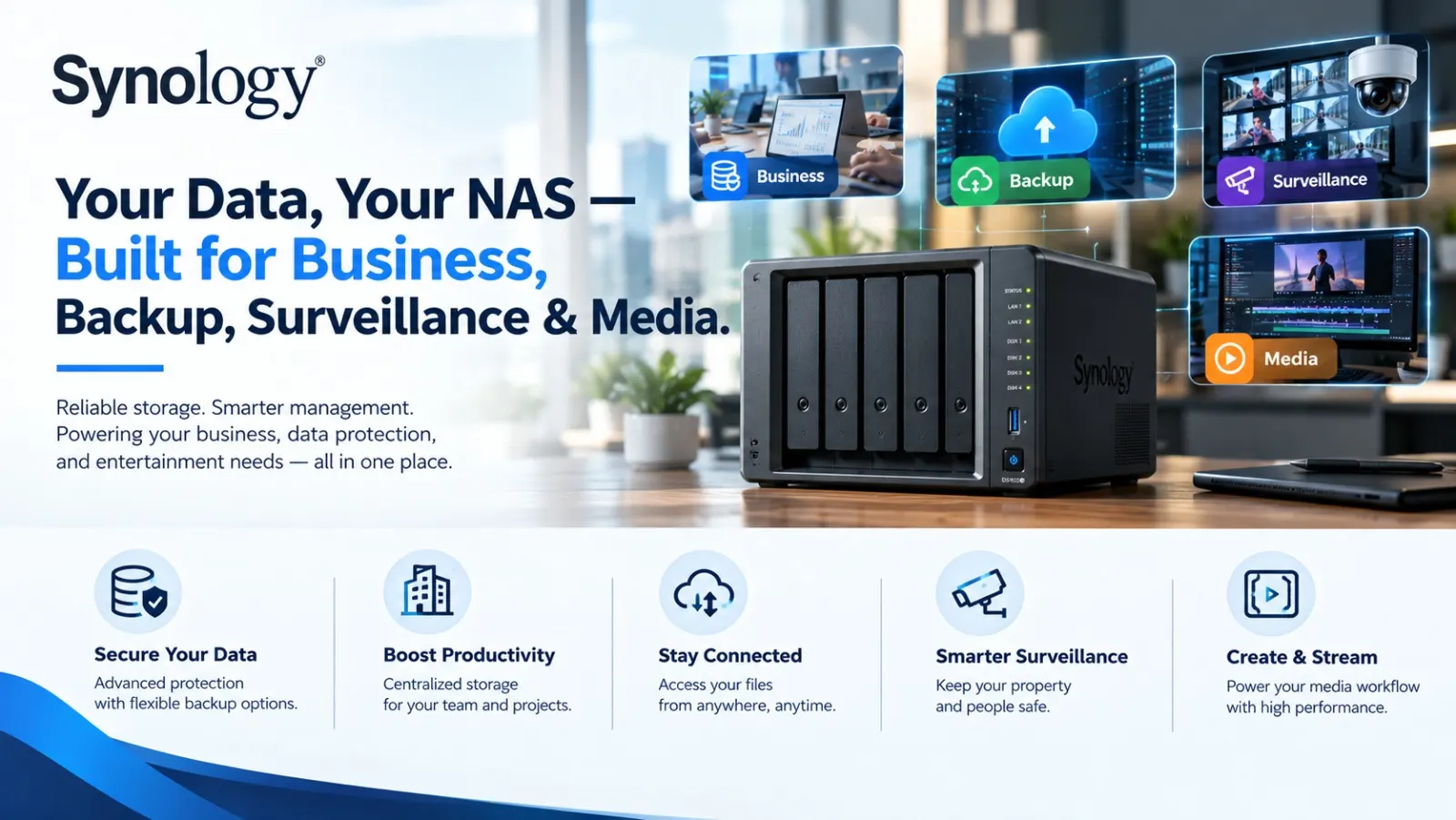
Synology NAS for Business, Home Backup, Plex, CCTV & Video Editing
As digital data continues to grow, businesses and individuals need more than just additional storage. Documents, databases, project files, photographs, videos, surveillance recordings and backups all need to be stored securely, accessed easily and protected against accidental loss.
This is where a Synology NAS (Network Attached Storage) can become a central part of a modern storage strategy.
A Synology NAS can support a wide range of applications—from business file sharing and automated backups to home media libraries, Plex-based media workflows, CCTV surveillance and video production. Synology’s current portfolio spans solutions for both business and home environments, with its platform covering data management, backup, productivity and video surveillance.
For organizations in India looking for the right configuration, Radiant Info Solutions offers Synology NAS solutions as a Synology partner, along with requirement assessment, product selection, configuration, deployment and post-sales support.
Strategic Technology Alliances










what we offer
Storage Requirement Consultation
-
- Business workload, application, and data growth assessment
- Capacity, performance, and availability requirements
- Backup, archiving, and disaster recovery objectives
Synology Product Portfolio Offering
-
- Synology NAS, SAN, and unified storage platforms
- DiskStation, RackStation, and enterprise-grade solutions
- Certified storage for virtualization and file services
Solution Design & Storage Architecture
-
- Centralized, hybrid, or edge storage design
- RAID, redundancy, and scalability planning
- Performance optimization for file, block, and object workloads
Platform Integration & Compatibility
-
- Integration with VMware, Hyper-V, and virtualization platforms
- Compatibility with Windows, Linux, and macOS environments
- Secure network and access control design
Product Recommendation & BoM Finalization
-
- Right-sizing of Synology systems and drive configurations
- Licensing, expansion units, and accessories selection
- Cost-optimized Bill of Materials (BoM) preparation
Supply, Installation & Configuration
-
- Hardware procurement and logistics coordination
- NAS installation, RAID configuration, and network setup
- Initial system hardening and firmware updates
Data Protection & Performance Testing
-
- Backup, snapshot, and replication configuration
- Performance benchmarking and failover testing
- Validation of data integrity and availability
User Training & Knowledge Transfer
-
- End-user and IT administrator training sessions
- Best practices for storage management and monitoring
- Documentation and operational handover
Support, AMC & Lifecycle Management
-
- SLA-based remote and on-site technical support
- Firmware upgrades, health checks, and capacity planning
- Expansion, renewals, and lifecycle optimization
We work across categories navigating non linear customer behaviour & requirements
What Is a Synology NAS?
A NAS is a dedicated storage device connected to a network that allows multiple authorized users and systems to access centralized files and applications.Instead of keeping business documents scattered across individual laptops, desktops and external hard drives, a NAS can provide a centralized storage environment.
Depending on the model and configuration, Synology NAS systems can be used for:
- Centralized business file storage
- Employee file sharing
- Automated computer backups
- Server and application backup
- Private cloud storage
- Photo and video management
- CCTV and IP camera recording
- Media libraries
- Plex media server workloads
- Video production workflows
- Data archiving
- Disaster recovery
- Virtualization-related workloads
Synology’s ecosystem also includes dedicated backup, surveillance and data-management applications, making the NAS more than a simple network storage box.
1. Synology NAS for Business
For small businesses, growing companies and enterprise teams, centralized storage can simplify how employees access and protect business data.
A Synology NAS can provide a centralized location for:
- Office documents
- Project files
- Accounting data
- Design files
- Marketing assets
- Databases
- Shared folders
- Archived information
- Backup repositories
Instead of depending entirely on individual computers, employees can access authorized folders through the organization’s network.
Business File Sharing
Teams working on common projects can use centralized folders with controlled access permissions.
Administrators can establish:
- User accounts
- Groups
- Folder permissions
- Department-specific access
- File-sharing policies
- Remote-access controls
This can be particularly useful for organizations with multiple departments or locations.
Business Backup
Backup is one of the most important applications of a NAS.
A properly designed Synology environment can help centralize backups for:
- PCs
- Workstations
- Servers
- Virtual machines
- Microsoft 365-related workloads
- Files and folders
- Other storage systems
Radiant Info Solutions provides Synology solutions for organizations looking to design centralized backup and data-protection environments.
2. Synology NAS for Home Backup
NAS is not limited to businesses.
Home users increasingly have large collections of:
- Family photographs
- Smartphone videos
- Personal documents
- Educational files
- Movies
- Music
- Creative projects
- Important digital records
Keeping everything on a laptop or smartphone creates a single point of failure.A Synology NAS can act as a centralized personal storage platform where important files can be backed up and organized.For example, a family can use a NAS to consolidate photographs from multiple phones while maintaining separate user access.Synology’s Value Series is positioned toward home users and small offices requiring economical storage, backup and media-management capabilities.
3. Synology NAS for Automatic Backup
One of the strongest reasons to deploy a NAS is to reduce dependence on manual backups.A backup strategy can be designed around scheduled or automated protection rather than asking employees or family members to remember to copy files manually.Synology’s ecosystem includes tools such as Active Backup, Hyper Backup and Snapshot Replication, depending on the model and supported applications. Radiant’s Synology solutions can be designed around specific backup and recovery requirements.
A typical environment could look like:
Laptop / Desktop → Synology NAS → Secondary Backup / Cloud
This approach can provide multiple layers of protection instead of relying on a single storage device.
Important: RAID should not be treated as a substitute for backup. RAID can provide redundancy against certain drive failures, but a complete backup strategy should consider separate backup copies and recovery requirements.
4. Synology NAS for Plex Media Server
For users with large personal media libraries, a Synology NAS can also serve as centralized media storage.
A NAS can store:
- Movies
- TV shows
- Music
- Photos
- Home videos
- Recorded content
For users running Plex, NAS capacity and hardware selection become particularly important.A suitable NAS can provide centralized storage while allowing supported devices on the network to access the media library.
What Should You Consider for Plex?
When selecting a Synology NAS for Plex, consider:
- Processor capability
- RAM
- Number of simultaneous users
- Direct Play versus transcoding requirements
- Video resolution
- Network bandwidth
- Storage capacity
- HDD/SSD configuration
- Supported Plex functionality on the selected platform
A NAS intended for occasional home streaming may have very different requirements from one supporting several users and demanding transcoding workloads.Therefore, model selection should be based on the actual media workload rather than simply choosing a NAS based on the number of drive bays.
5. Synology NAS for CCTV & Surveillance
Another major application is video surveillance.Synology NAS and surveillance-focused solutions can be used to centralize recordings from compatible IP cameras.
A surveillance NAS can help organizations manage:
- CCTV recordings
- IP cameras
- Video retention
- Surveillance storage
- Camera monitoring
- Event-based recording
- Remote surveillance access
Synology’s current portfolio includes dedicated surveillance products and solutions, while its ecosystem supports integrations with various camera and security technologies.
Why NAS for CCTV?
Traditional surveillance storage can become difficult to manage as camera counts and retention requirements increase.
A centralized NAS approach can provide:
IP Cameras → Network → Synology Storage → Surveillance Management
The required storage capacity depends on factors such as:
- Number of cameras
- Resolution
- Frame rate
- Recording mode
- Compression
- Motion detection
- Daily recording hours
- Retention period
Therefore, CCTV storage should be calculated before selecting the NAS.
6. Synology NAS for Video Editing
Video production teams can generate enormous quantities of data.
A single project may contain:
- Camera footage
- RAW files
- Proxy files
- Project files
- Audio
- Graphics
- Render files
- Final exports
- Archived projects
Keeping these files exclusively on individual workstations can make collaboration and backup difficult. A properly configured Synology NAS can act as centralized storage for creative teams.
Video Editing NAS Considerations
For video editing environments, pay attention to:
- Network speed
- NAS processor
- RAM
- HDD/SSD configuration
- SSD caching where appropriate
- RAID configuration
- Number of simultaneous editors
- Video resolution
- File sizes
- Network infrastructure
- 10GbE or higher connectivity where required
A video editing NAS should therefore be planned together with the network.
A high-performance NAS connected through a basic 1GbE network may not deliver the experience expected from a professional editing environment.
7. Synology NAS for Photographers & Content Creators
Photographers, YouTubers, agencies and content creators often accumulate terabytes of digital assets.
A NAS can provide a central location for:
- RAW photographs
- Edited photographs
- Video footage
- Project files
- Client deliverables
- Archived projects
- Social-media assets
Instead of repeatedly transferring files between external hard drives, users can create a structured storage environment. This also makes it easier to establish a consistent backup and archiving policy.
8. Synology NAS for Small & Medium Businesses
SMBs often need enterprise-style data management without building a large storage infrastructure.
Synology’s NAS portfolio includes smaller desktop systems as well as higher-capacity and rack-mounted platforms.
Radiant’s Synology portfolio covers solutions across different capacity and performance requirements, including desktop NAS and rack-mounted systems.
Typical SMB Applications
A small or medium business may use a Synology NAS for:
- Employee file sharing
- Centralized backup
- CCTV recording
- Document management
- Media storage
- Server backup
- Remote file access
- Data archiving
- Departmental storage
The right NAS depends on the number of users, workload, storage requirements, growth plans and backup objectives.
-
How to Choose the Right Synology NAS
There is no single Synology NAS that is ideal for every user.
The selection process should begin with the workload.
| Requirement | Important Considerations |
| Home Backup | Drive bays, capacity, backup applications |
| Small Business | Users, file sharing, backup, scalability |
| Plex | CPU, RAM, transcoding, storage |
| CCTV | Camera count, retention, recording resolution |
| Video Editing | Network speed, SSD/HDD, throughput |
| Enterprise Backup | Capacity, redundancy, backup architecture |
| Media Storage | Capacity, network performance, user access |
| Virtualization | CPU, RAM, storage performance, networking |
Radiant Info Solutions can assess these requirements before recommending the appropriate Synology configuration.
Synology NAS Drive Bays: 2-Bay, 4-Bay, 5-Bay, 8-Bay & More
Drive-bay count is one of the first specifications customers look at when selecting a NAS.
2-Bay NAS
Suitable for:
- Home backup
- Personal storage
- Small offices
- Basic file sharing
Radiant offers Synology 2-bay solutions for home and small-office environments.
4-Bay NAS
A 4-bay configuration can provide more flexibility for growing storage requirements and RAID configurations.
5-Bay NAS
A 5-bay NAS can be useful for businesses, creative professionals and advanced home users requiring additional capacity and redundancy. Radiant’s Synology portfolio includes 5-bay solutions for workloads including backup, surveillance and multimedia.
Rack-Mounted NAS
For organizations with server rooms or data centers, Synology RackStation systems provide rack-mounted storage options for centralized storage, backup, virtualization and surveillance workloads.
Synology NAS + RAID: Understanding Data Protection
RAID is an important part of NAS configuration.
Depending on the number of drives and requirements, organizations may consider configurations such as:
- RAID 1
- RAID 5
- RAID 6
- RAID 10
- Synology-specific storage configurations supported by the selected platform
The appropriate configuration depends on capacity, performance, drive count, redundancy requirements and recovery objectives. However, RAID is not a complete backup strategy. For business-critical data, organizations should consider a broader approach involving:
Primary Storage + Local Backup + Offsite/Cloud Backup
This can provide stronger protection against hardware failure, accidental deletion, ransomware and other data-loss scenarios.
Synology NAS for Business: Security & Access Management
Storage security is just as important as storage capacity.
A business NAS deployment should consider:
- User authentication
- Strong passwords
- Role-based permissions
- Network segmentation
- Firewall policies
- Secure remote access
- Software and firmware updates
- Backup protection
- Snapshot capabilities
- Monitoring and alerts
Synology positions its DSM platform as a foundation for private-cloud-style data management, while its broader portfolio includes data protection and surveillance capabilities.
Why Choose Radiant Info Solutions for Synology NAS?
Radiant Info Solutions works with organizations looking for Synology NAS solutions in India, supporting product selection and deployment according to the customer’s technical requirements.
As a Synology partner, Radiant offers:
1. Requirement Assessment
We understand your:
- Storage requirement
- Number of users
- Application workloads
- Backup requirements
- CCTV requirements
- Media requirements
- Future expansion plans
2. NAS Model Selection
The right model can be identified based on workload, capacity, performance and scalability.
3. Storage Planning
We help plan:
- Drive capacity
- RAID configuration
- Storage pools
- Backup architecture
- Expansion requirements
4. Installation & Configuration
Radiant can support NAS installation, configuration and integration with the existing IT environment.
5. Backup & Data Protection Planning
We can help organizations build a backup approach around their business data and recovery requirements.
6. Surveillance Storage
For CCTV requirements, the solution can be planned around camera quantity, retention and recording requirements.
7. Technical Support
Radiant also offers post-deployment technical assistance and maintenance support for Synology environments.
Synology NAS for Home or Business: Which One Do You Need?
The answer depends on what you want the NAS to do.
For home backup: prioritize simplicity, capacity and backup functionality.
For Plex: focus on CPU capabilities, transcoding requirements, storage and network performance.
For CCTV: calculate camera count and retention before selecting the NAS.
For video editing: prioritize network throughput, storage performance and simultaneous-user requirements.
For business: focus on users, data protection, permissions, backup, scalability and integration.
For enterprise: evaluate capacity, redundancy, performance, networking, backup architecture and future expansion.
Get Synology NAS Solutions from Radiant Info Solutions
Whether you are looking for a Synology NAS for business backup, home storage, Plex, CCTV surveillance, video editing or centralized file sharing, the right configuration depends on your actual workload.
Radiant Info Solutions provides Synology NAS solutions in India with requirement assessment, product consultation, installation, configuration and technical support. Its Synology offering covers solutions for SMBs, enterprises, home users and creative professionals.
Share your requirements with Radiant Info Solutions to identify the right Synology NAS configuration for your storage, backup, surveillance or media workload
FREQUENTLY ASKED QUESTIONS
How do I choose the right Synology NAS for business use?
The right Synology NAS depends on the number of users, storage capacity, applications, backup requirements, RAID configuration, network performance and future expansion plans. Businesses should evaluate the expected workload before selecting a 2-bay, 4-bay, 5-bay, 8-bay or RackStation model.
Can Synology NAS be used for automatic business and PC backup?
Yes. Compatible Synology NAS systems can centralize and automate backups for PCs, workstations, servers and supported workloads. Backup architecture should be designed around data volume, retention, recovery requirements and available storage capacity.
Is Synology NAS suitable for Plex and 4K media streaming?
Yes, compatible Synology NAS models can host Plex Media Server. For 4K streaming, the NAS should be selected based on the number of simultaneous users, Direct Play requirements and whether video transcoding is required. CPU capabilities and network performance are particularly important for transcoding workloads.
Can Synology NAS be used for CCTV and IP camera recording?
Yes. Compatible Synology NAS systems can be used for centralized IP camera recording and surveillance management. NAS selection should consider the number of cameras, resolution, frame rate, recording mode and required video-retention period.
How much Synology NAS storage is required for CCTV cameras?
CCTV storage requirements depend on camera quantity, resolution, frame rate, compression, continuous or motion-based recording and retention period. Storage should be calculated from the complete surveillance workload rather than simply the number of cameras.
Is Synology NAS suitable for professional video editing?
Yes. Synology NAS can provide centralized storage for video footage, project files, RAW media, graphics, audio and completed projects. For professional editing environments, NAS performance, storage configuration, network bandwidth and the number of simultaneous editors should be evaluated.
Do I need 10GbE for video editing with a Synology NAS?
Not every video-editing workflow requires 10GbE. However, 10GbE can provide substantially higher network throughput for large video files, high-resolution footage and multiple simultaneous editors. The NAS, switches, network adapters and workstations should all be considered when designing a high-performance editing environment.
Is RAID enough to protect data on a Synology NAS?
No. RAID provides redundancy against certain drive failures but is not a replacement for backup. Business-critical data should have a separate backup strategy that can include additional local, offsite or cloud copies depending on the organization’s recovery requirements.
Can Synology NAS be used as a private cloud and centralized file server?
Yes. Synology NAS can provide centralized file storage, user-based access, file synchronization and remote-access capabilities. Businesses can create department-specific shared folders and permissions for teams such as finance, HR, sales, operations and management.
Can Radiant Info Solutions help select and deploy Synology NAS in India?
Yes. Radiant Info Solutions, as a Synology partner, can assist with Synology NAS model selection, storage planning, configuration, deployment and technical support. Solutions can be planned for business backup, centralized file storage, CCTV surveillance, Plex media, video editing and home or office data management.